27 Work From Home Set Up Ideas for a Productive Day

There is a special kind of sadness in a cup of coffee that went cold on the long walk from the kitchen to your desk. There is another kind in a back that starts aching by noon because your desk is really the dining chair, just turned around. And there is the noon glare that turns your screen into a mirror so you spend half the afternoon squinting like the sun personally disagreed with your deadline.
None of these things mean you are lazy. I think most work from home days fall apart for small reasons like that. Not big problems. Just a setup that was never really set up. The coffee, the chair, the light. They all stack up until the day feels long at 11 in the morning.
A productive day does not start with willpower. It starts with the setup. This list of 27 Work From Home Set Up ideas fixes it piece by piece. Desk spots, lighting, chairs, small upgrades. Each one takes one small annoyance and removes it. You do not need all 27. Start with the three that made you nod.
1. Face Your Desk Toward the Window
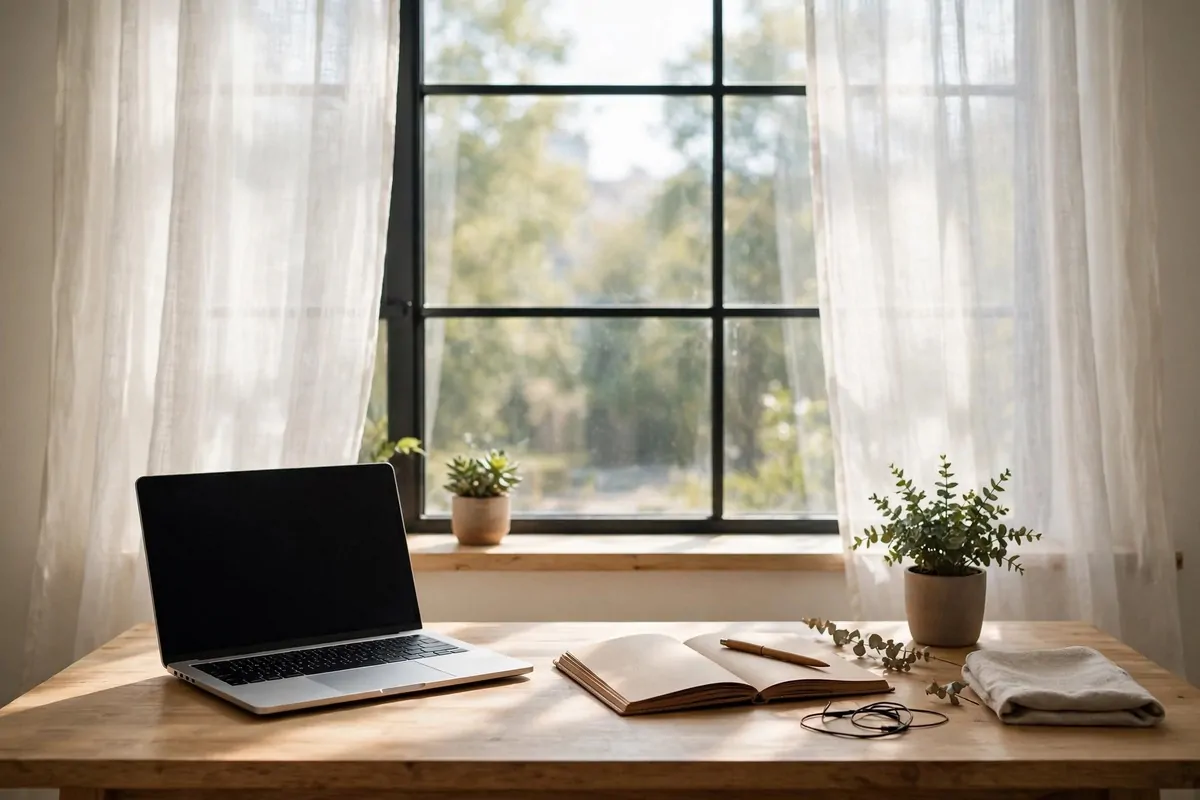
Natural light is the cheapest upgrade you can give a work day. It costs nothing and it changes everything. I keep my desk about two feet from the window now.
Morning light tells your brain that the day has started. It is like a gentle alarm that does not make noise. Artificial light at 8 a.m. just does not do the same thing.
Put the desk so the light comes from the side, not from behind your screen. Behind the screen makes glare. In front of your face can make you squint too.
Side light is the sweet spot. Your face gets lit softly for calls. The screen stays clear. Your eyes relax a little.
If the window is very bright, add a light curtain or blind. You want glow, not a spotlight. A sheer curtain spreads the light around the room.
Look outside every twenty minutes or so. I look at the farthest tree I can see. Eye doctors say distance breaks up the strain of staring close all day.
A window also gives you weather. Rain on glass, sun moving across the desk, a bird landing on the sill. Small things. But they keep the day from feeling flat.
And on video calls, people will notice. You will just look better. No lamp can fake real daylight.
If you have no window near the desk, fake the view. A nice picture on the wall in front of you can give your eyes a resting place too.
Keep the sill simple. A small plant or a cup of pens. Not a storage zone. The light should be the star.
Move your desk this weekend if you can. It takes ten minutes and the whole room feels different by Monday.
2. Get a Standing Desk
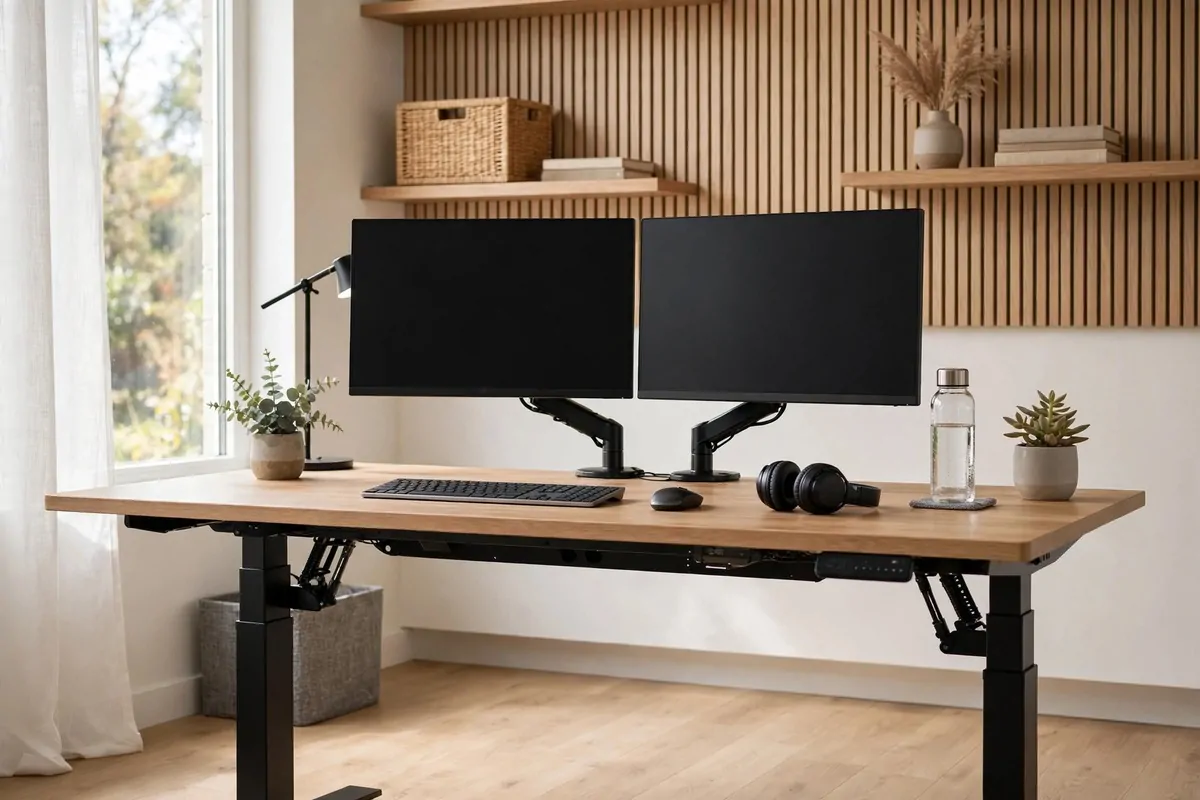
A standing desk moves up and down with a button. You sit in the morning, stand after lunch, sit again when your legs are tired. That switching is the whole point.
Sitting all day makes the afternoon feel heavy. Your legs get restless. Your lower back starts to complain. Standing for a while breaks that pattern cleanly.
I was scared it would feel tiring. It did for the first week, a little. Then my body got used to it, and now I do not even think about it.
You do not have to stand all day. Most people do best with a mix. Here is a simple rhythm that works for me.
| Time of day | Position |
|---|---|
| Morning (first 2 hours) | Sitting, focused work |
| Late morning | Standing, calls and email |
| After lunch | Standing, easy tasks |
| Late afternoon | Sitting, wind down |
Standing after lunch really does fight the food coma. You will feel it the first day. Your energy stays up instead of sinking.
Set the desk height so your elbows rest at about a right angle when you type. Shoulders relaxed, not up by your ears. That is the height you want.
Get a soft mat to stand on. Hard floors hurt after twenty minutes. A kitchen mat works fine, nothing fancy needed.
Wear real shoes or go barefoot on the mat, not thin socks on hard floor. Your feet will thank you by Friday.
Keep water at the desk when you stand. You forget to drink when you are not sitting. I learned that one the dry way.
If a full standing desk is too much money, the sit-stand converter in idea 19 does almost the same job on your normal desk.
One last thing. Raise your monitor when you stand too. Otherwise you look down at the screen and your neck pays for it.
3. Pick a Chair That Loves Your Back
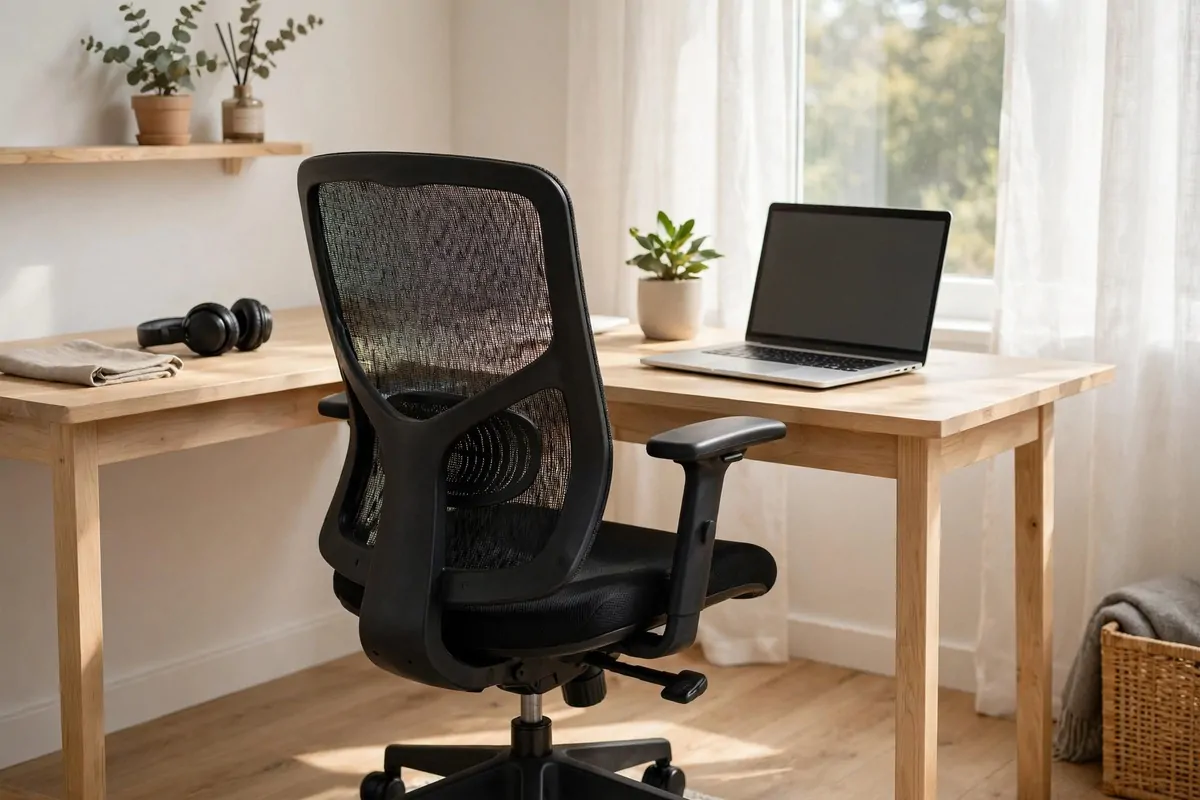
Your chair is the one thing touching you all day. It should be kind to you. The dining chair is not kind. It is fine for dinner, not for eight hours.
A good work chair holds your lower back with a small curve of support. That curve is called lumbar support. It fills the gap your spine naturally makes.
Adjustable height matters more than looks. Your feet should rest flat on the floor. Thighs roughly level with the ground. Knees near hip level or a touch lower.
Armrests should let your elbows rest near your sides. If the armrests are too high, your shoulders creep up. Then your neck aches by 3 p.m.
Mesh backs breathe better than padded leather. In warm rooms, leather gets sticky fast. Mesh stays cool and still gives support.
I like chairs with a little recline tension. You lean back a touch for calls, sit straight for typing. That small movement keeps you from freezing in one pose.
If a new chair is not in the budget, add a lumbar pillow to the chair you have. It is a real fix, not just a decoration. Rolled towel works too in a pinch.
Watch the armrests if you share the desk with someone else. Quick adjustable ones mean the chair fits two bodies. Worth checking before you buy.
Try the chair before you keep it, if you can. Sit the way you actually sit. Perched on the edge like a bird, or sunk in like a cat.
Your back will tell you within a day or two if it is right. Listen to it.
4. Add a Second Monitor
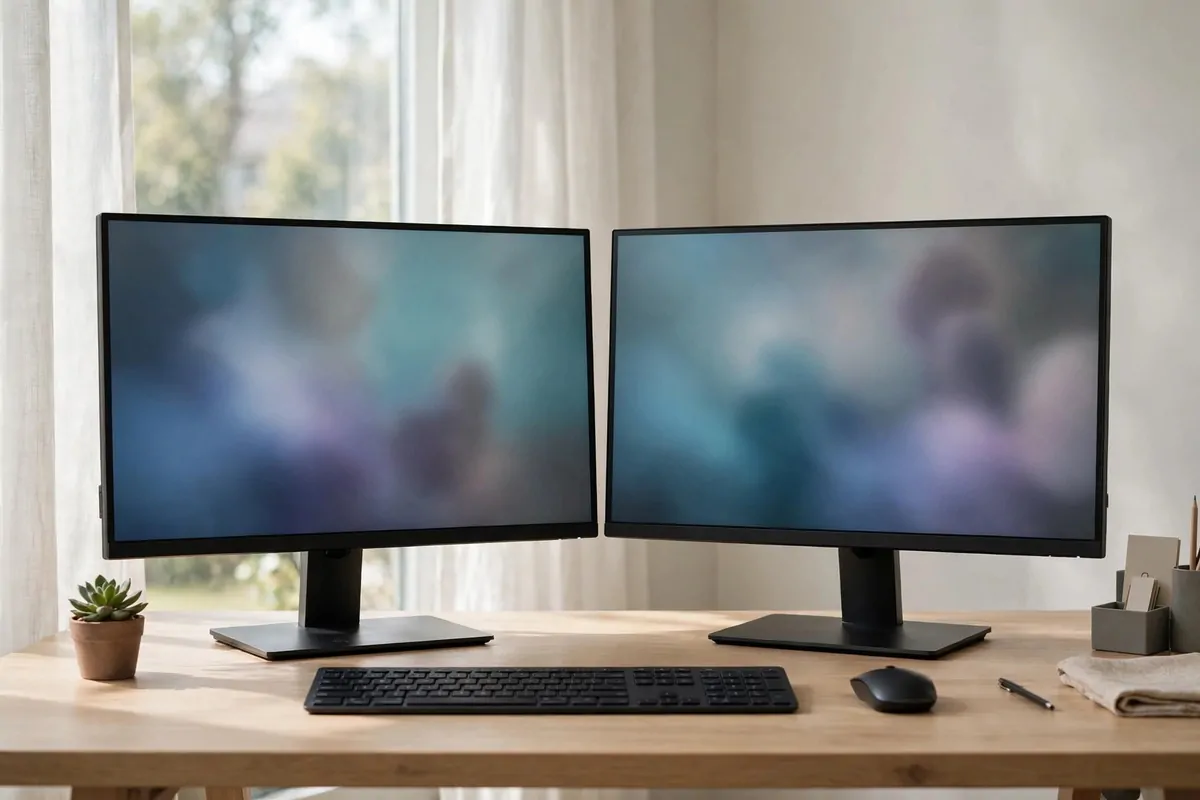
One screen is a hallway. Two screens is a room. You will wonder how you ever worked with one.
Put email on one screen and your work on the other. Or the call on one side and your notes on the other. No more flipping tabs like a card trick.
People who type a lot love this. Writing on the left, research on the right. You stop losing your place every five minutes.
Matching sizes is nice but not required. A smaller old monitor still helps. Even an old one beats none.
Line up the tops of the screens at about the same height. Your eyes should glide sideways, not climb up and down. Neck strain hides in small height gaps.
Put the screen you look at most straight in front of you. The second one sits slightly angled. You should turn your head a little, not twist like an owl.
Here is a quick way to decide if you need it.
| Your work day | Verdict |
|---|---|
| Mostly one app, lots of focus writing | One big screen is fine |
| Meetings plus notes plus chat | Second screen helps a lot |
| Spreadsheets, design, code | Second screen almost needed |
A portable second monitor works if your desk is tiny. It plugs in with one cable and folds flat at night. Great for small flats.
Watch out for cable mess when you add a screen. One more cable can turn a tidy desk into spaghetti. Plan a cable tray at the same time.
Your eyes will move more, so blink more too. Sounds silly. It helps. Screens dry eyes out faster than paper ever did.
If your computer struggles with two screens, close heavy apps on the second one. It is a helper, not a movie theater. Though lunch breaks are your business.
This is one of those upgrades that feels huge on day one. You will notice the missing tab flips within the first hour.
5. Use a Laptop Riser With an External Keyboard
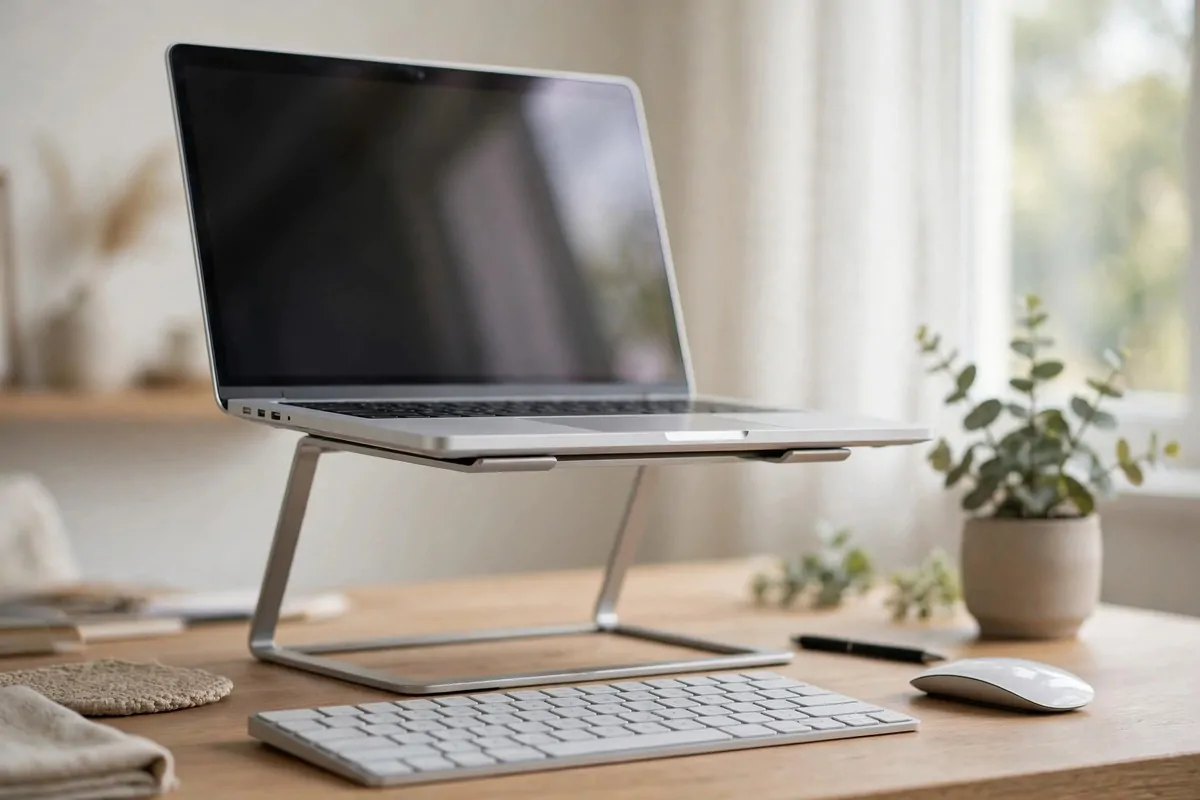
A laptop is a posture trap. The screen is too low, so your neck bends down all day. Every hour of that bend adds up.
A riser lifts the screen to eye level. Simple metal stand, wood stand, even a stack of books. All of them work.
But once the screen is up high, the keyboard is too high to type on. That is where the external keyboard comes in. It sits flat on the desk at elbow height.
Your setup now looks like a desktop. Screen at eye level. Hands relaxed. Neck straight. One cheap stand made that happen.
Wireless keyboards keep the desk tidy. One less cable to fight. But wired ones never need charging. Both are fine, honestly.
I like a keyboard with quiet keys. Loud clicking is fine alone, terrible on calls. Your coworkers will love you for quiet keys.
Add a separate mouse too, not just the keyboard. The trackpad forces your wrist into a cramped angle. A mouse lets your hand rest naturally.
Place the keyboard so your elbows stay near your body. Reaching forward all day is what makes shoulders burn. Close is good.
Keep the riser folded flat if you work in different spots. Laptop people move around. A folding stand goes in a bag easily.
This setup costs little and fixes the biggest laptop problem. Neck down, wrists bent, back curled. All solved in one move.
If you buy one thing for laptop work, make it the riser. The keyboard can come second.
6. Mount Your Monitor on an Arm
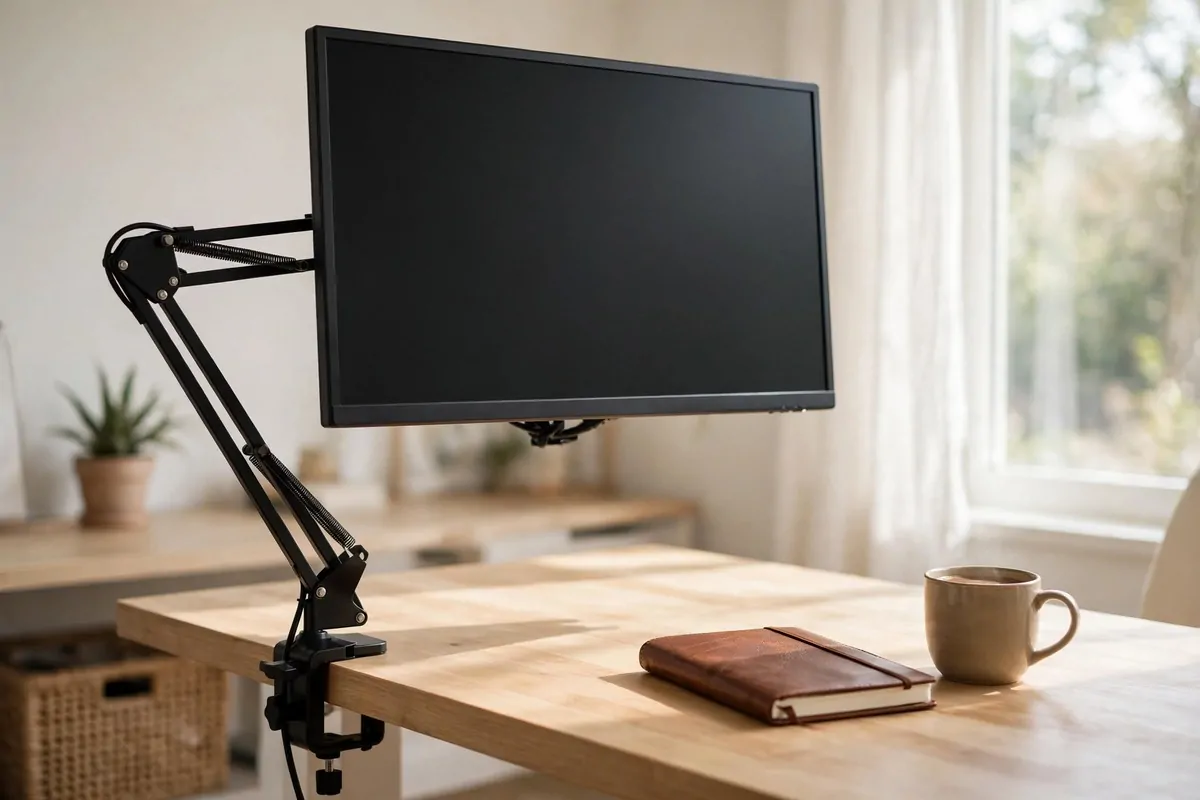
A monitor arm is a metal arm that holds your screen in the air. It clamps to the back of your desk. The screen floats. It feels a little like magic the first time.
The best part is the desk space you get back. The old chunky stand is gone. Now there is room for a notebook, a lamp, a plant. Real room.
Height changes in seconds. Pull the screen up when you stand. Push it down when you sit. No tools, no lifting, just a gentle hand.
You can also swing the screen toward a chair. Show a coworker something on a call, or watch a video while you eat lunch. Then swing it back.
One arm for one screen is the normal setup. Dual arms hold two screens and look very clean. Each screen moves on its own.
Check the weight rating before you buy. Most arms hold normal screens fine. Very large or curved screens need a stronger arm.
The clamp needs a desk edge to grab. Glass desks can be tricky. Measure your desk thickness and read the fine print.
Cable clips on the arm keep the wires tidy. Run the power and video cables along the arm. They hide neatly out of sight.
This upgrade looks expensive. It is not, usually. But your desk will photograph like one of those fancy setups.
Guests will ask about it. I always do a little demo. Push, pull, spin. Everyone wants one by the end.
7. Hang a Pegboard Wall Organizer
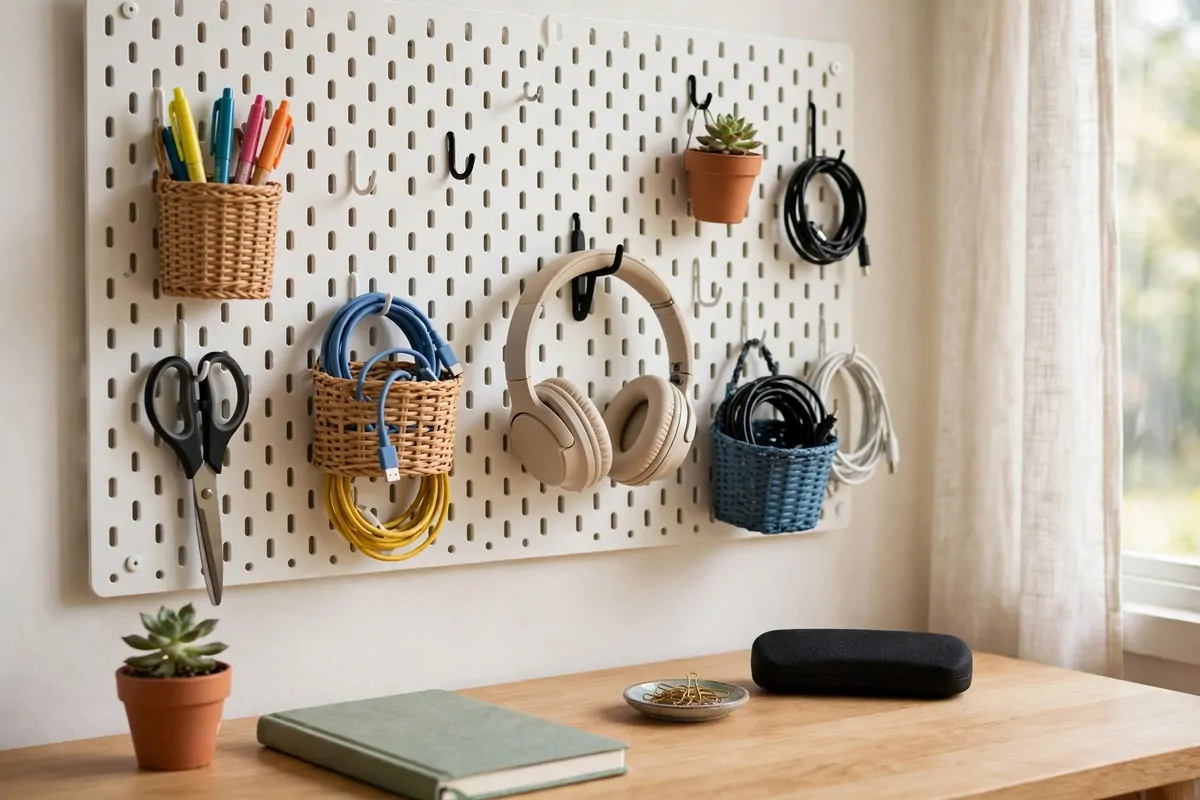
A pegboard is a board with holes, hung on the wall, with little hooks in the holes. You hang your stuff on the hooks. That is it. Simple and oddly satisfying.
Everything leaves the desk and climbs the wall. Pens, scissors, headphones, the charger you always lose. All visible, all in reach.
You see everything at a glance. No digging in drawers. No opening three boxes to find one thing. Your eyes do the finding.
Change it whenever you want. Move a hook in ten seconds. The board grows with your habits. Winter setup can differ from summer setup.
Paint the board to match your room. White looks clean. Wood tones look warm. A colored frame can tie it to your decor.
Put the things you use most at arm height. The once-a-month stuff goes higher. This is the golden rule of pegboards and closets alike.
Headphones hang nicely on a big hook. Cables coil on small hooks. Little baskets hold the tiny things that fall everywhere.
Hang it behind or beside the desk, not in front. You want it in your peripheral view, not blocking your light or your window.
Label a few hooks if you like labels. Charger hook, pen hook, keys hook. It keeps the system working when you are tired.
I reorganized mine last month and found two things I had bought twice. The board pays for itself in money it saves.
8. Roll In a Supply Cart
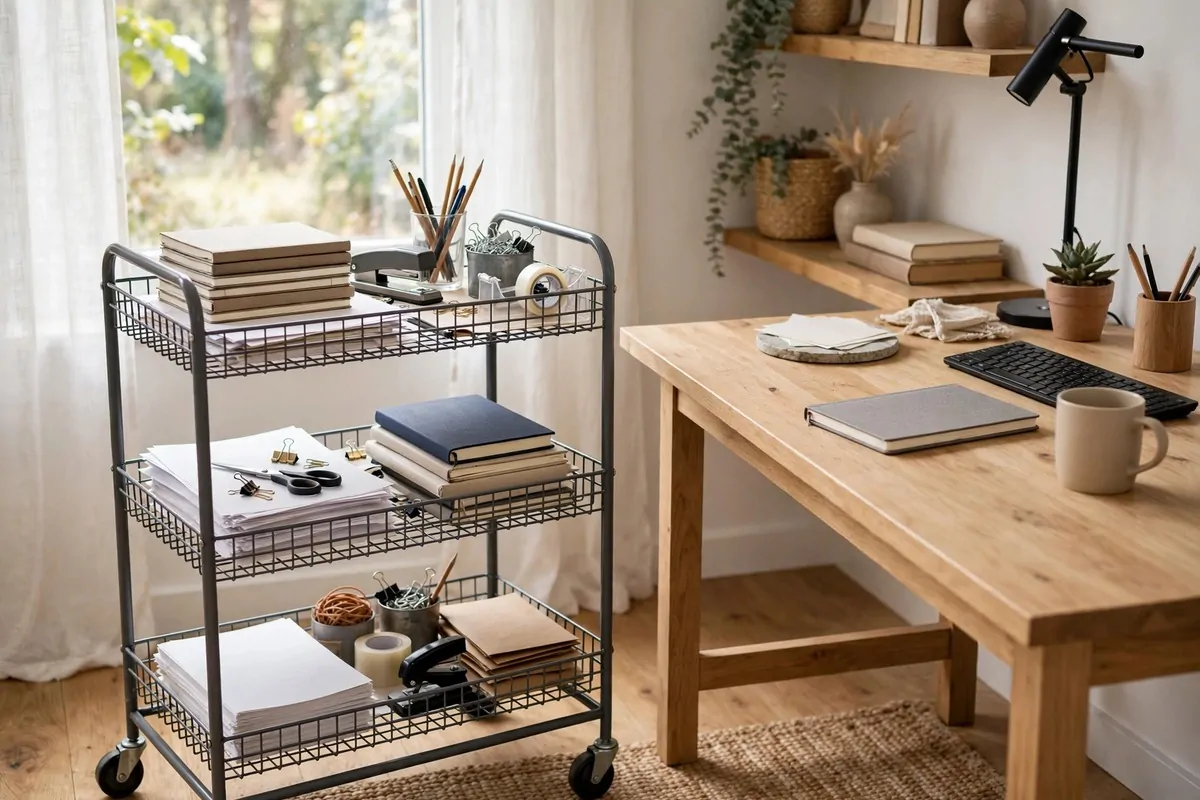
A rolling cart is a small shelf on wheels. Three tiers usually. You load it with work stuff and park it by your desk.
Paper, notebooks, the printer paper, spare cables, snacks. Everything you need sometimes but not right now lives on the cart.
When you need it, roll it over. When you do not, push it away. The desk stays clear and the stuff stays close. Best of both worlds.
The top tier can hold your current project. Papers in progress, the book you are reading, the folder for this week. It is like a second small desk.
Middle tier is for supplies. Pens, sticky notes, envelopes, stamps. Bottom tier is for the bulky things. Printer paper, big folders, the box of extra cables.
Choose one with a handle. You will push it around more than you think. Handles make it feel like a little wagon, not a chore.
Some people use two carts. One for work, one for crafts or personal projects. They stack in a closet at night. Very small-flat friendly.
Keep the wheels locked when it sits by the desk. Otherwise it drifts. Slowly. All day. You will find it across the room by evening.
A label on each tier helps on busy days. Sounds fussy. Saves the digging. And digging is where time goes to die.
This is one of the cheapest upgrades on this list. And one of the most used. Mine rolls to me every single morning.
9. Fold-Down Wall Desk for Small Rooms
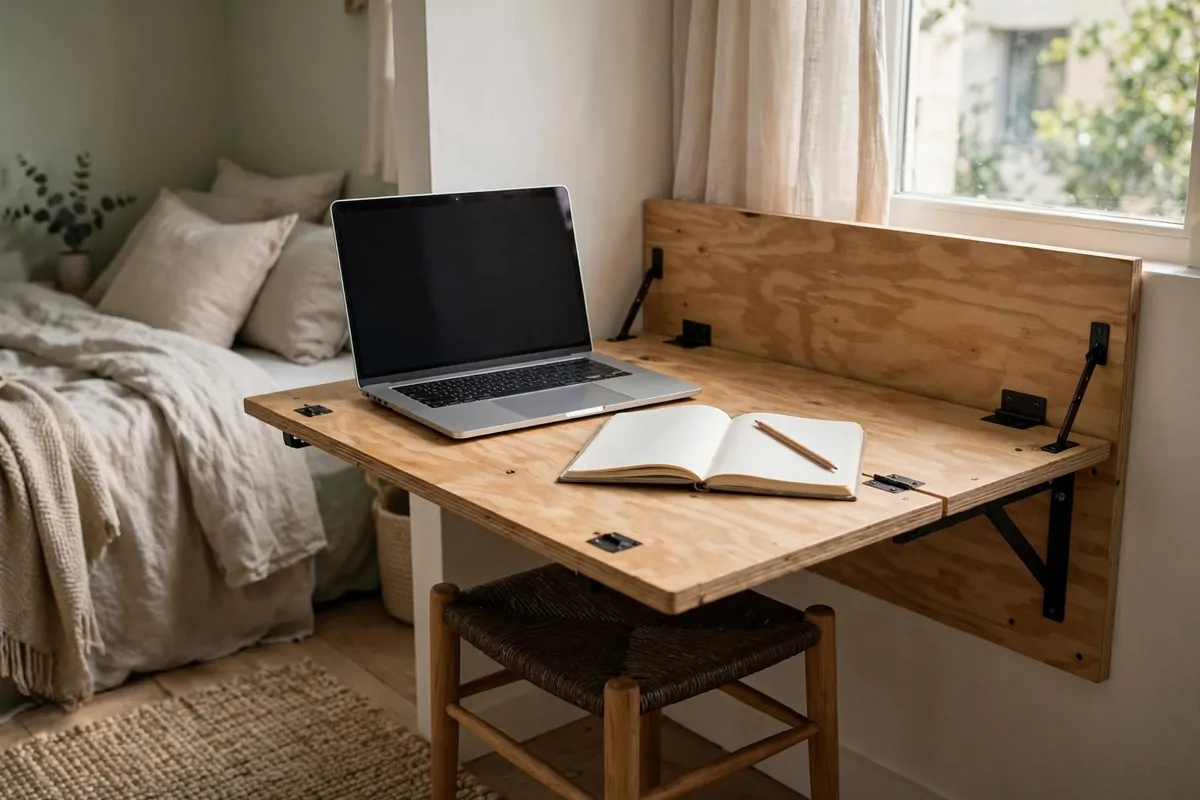
Some rooms have no space for a desk. At all. The wall can become your desk instead.
A fold-down desk mounts on the wall and flips down when you work. When you are done, fold it up. The room gets its floor back.
Closed, it looks like a shallow cabinet or a picture frame. Some models hide shelves inside. Your work life disappears into the wall.
This is perfect for bedrooms. Work by day, sleep by night, and the desk never stares at you while you try to rest. That mental separation matters.
Mount it at elbow height when seated. Too high and your shoulders work overtime. Too low and your back curls. Measure twice, drill once.
Add a wall lamp above it. Fold-down desks rarely have room for a lamp base. A swing-arm wall light keeps the surface free.
Keep the chair slim and foldable too. A chair that hangs on a hook or tucks flat means the whole office vanishes in a minute.
Do not overload it. These desks hold laptops and notebooks fine. A heavy desktop tower is too much. Know the weight limit.
I know someone who has one in a hallway. Wide enough hallway, mind you. She works there happily. Folds it away for dinner guests.
Small homes need clever furniture. This is one of the cleverest. A whole office that is also a wall decoration.
10. Turn Your Closet Into an Office
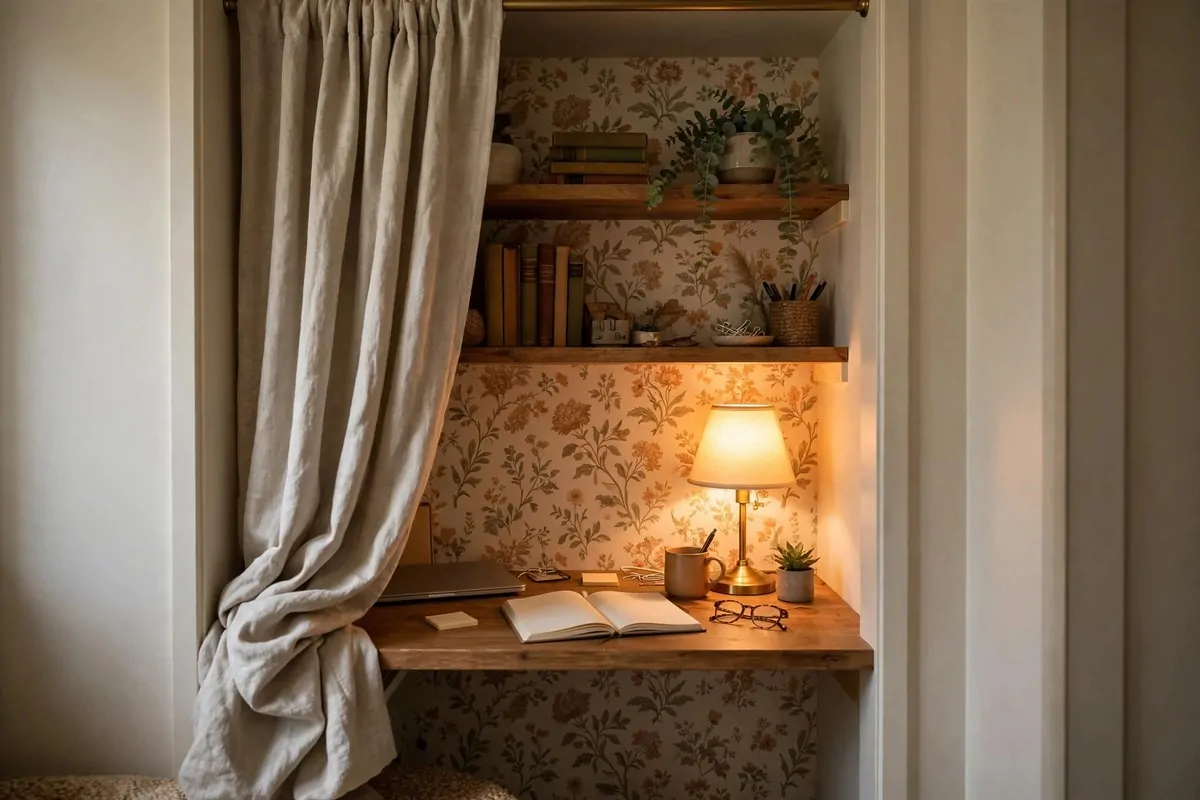
The cloffice is a real thing. Closet plus office. Take out the clothes, put in a desk, and you have a tiny private workspace with a door you can close.
Closets are usually about as wide as a desk needs. The depth fits a chair and your knees. It is cozy in a good way, like a little work nest.
Remove the doors if they get in the way. A curtain works as a door instead. Pull it closed at 6 p.m. and work is gone from sight.
Add light inside, because closets are dark. A small lamp or stick-on LED strip changes everything. Without light it feels like a cupboard. With light it feels like a nook.
Wallpaper the inside back wall. This is the fun part. A bold pattern makes the tiny space feel intentional. And it looks great on video calls.
Shelves above the desk use the vertical space. The closet rod can hold baskets on hooks. Every inch of a cloffice should work hard.
Ventilation matters in a closed closet. Leave the curtain cracked while you work. Or add a tiny fan. Warm still air makes you sleepy.
This works best for laptop setups. Big dual monitors need more width than most closets give. Keep the tech light and the space feels fine.
It is also brilliant for shared homes. Your office has a real door. People knock. That boundary is worth more than square feet.
I love the ritual of closing the closet at day’s end. Work physically disappears. Your evening starts cleaner because of it.
11. Walk While You Work With an Under-Desk Pad
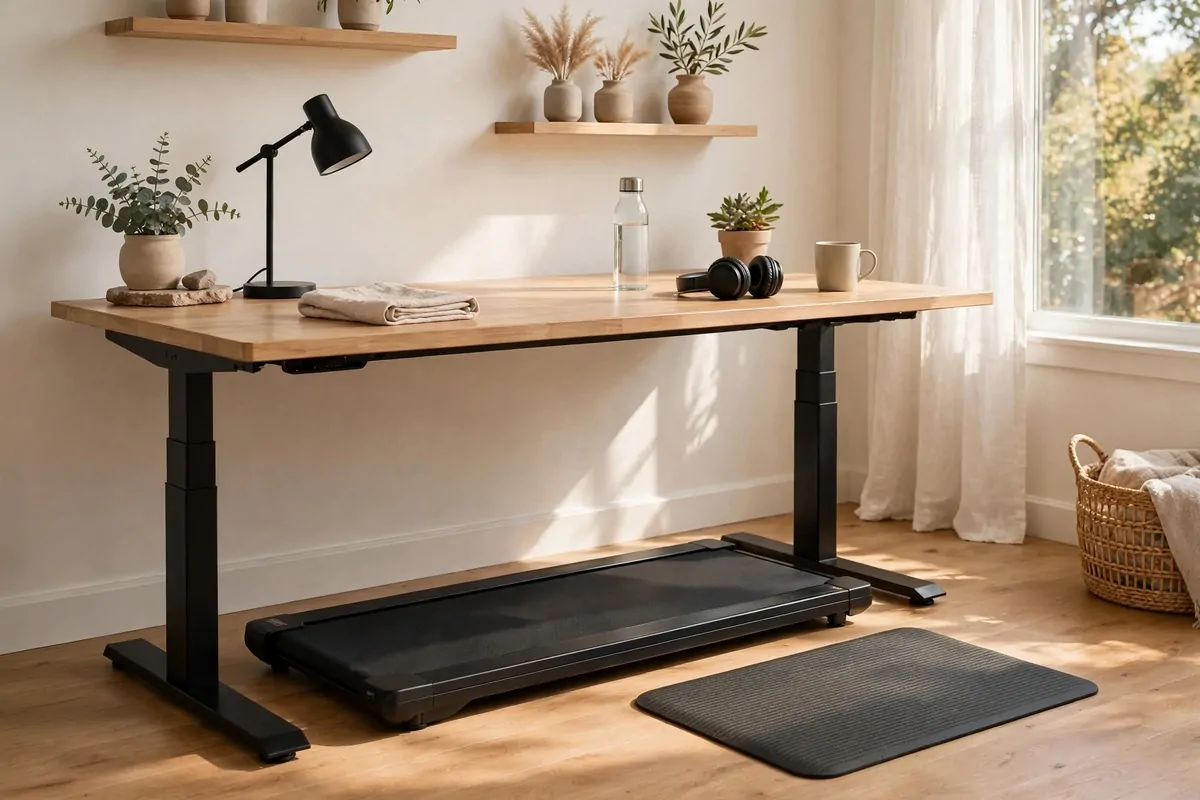
An under-desk walking pad is a flat treadmill with no handles. It slides under a standing desk. You walk slowly while you type. Yes, really.
Slow is the key word. One or two miles per hour. Walking speed, not workout speed. You can think, talk, and type just fine.
Your step count climbs without trying. Thousands of steps before lunch. All while answering emails. It feels a little like cheating.
Start with short walks. Twenty minutes a day for the first week. Your brain needs time to learn walking and working together.
Good tasks for walking: reading, calls, email, planning. Bad tasks for walking: detailed design work, anything needing a steady mouse hand. You will learn your own split.
Wear supportive shoes or go barefoot on the belt. Thin socks on a moving belt is a bad idea. Ask my ankle. It knows.
Keep water close. Walking is still exercise, even slow walking. You will drink more than you expect.
The pad slides under a sofa or bed when guests come. Most are flat and light enough to move. It does not own your room.
Noise is low on most models. Low enough for calls, people say. Test it on a call with a friend first, just to be safe.
This one is not for everyone. But if sitting still drives you restless, it might be the best idea on this whole list.
12. Look Good on Calls With a Ring Light
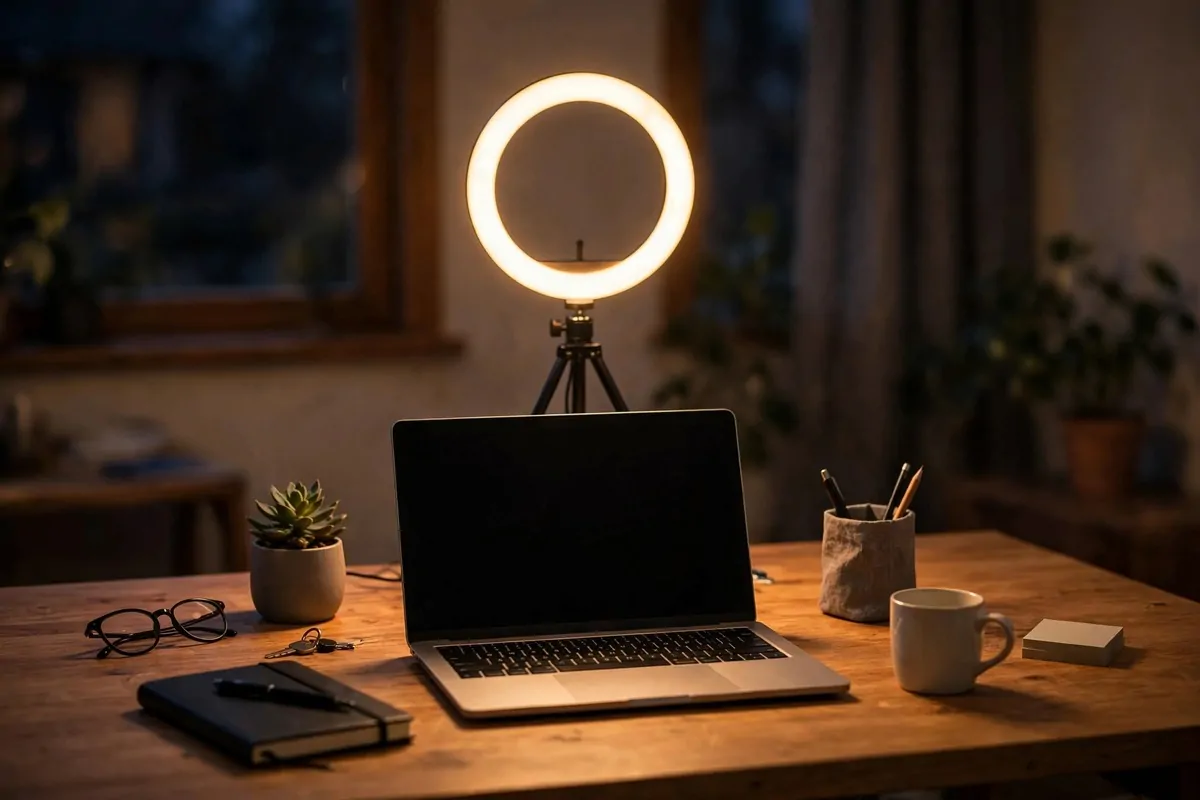
Bad lighting on video calls makes you look tired even when you are not. A ring light fixes that in a way no makeup can match.
It is a circle of light that sits around your camera or in front of your face. The light is soft and even. Shadows disappear from your face.
Place it in front of you, slightly above eye level. Not to the side, not below. Below gives you spooky horror-movie lighting. Nobody wants that.
Most ring lights change color. Cool white for daytime energy. Warm for evening calls when the room is dim. Match the light to the time of day.
You do not need a huge one. A ten-inch light is plenty for desk calls. The giant ones are for people filming videos.
Clip-on versions attach to your laptop. Stand versions sit on the desk behind the laptop. Both work. Pick the one that fits your desk.
Turn down your overhead light when the ring light is on. Two light sources from two directions fight each other. One good light wins.
Check your background too while you are at it. The ring light lights your face. What is behind you shows on camera as well.
I keep mine on a small tripod that folds flat. It lives behind my monitor when not in use. Out of sight until call time.
You will look awake, clear, and professional. All from a light that costs less than a nice lunch. Worth it.
13. Build a Bookshelf Backdrop for Video Calls
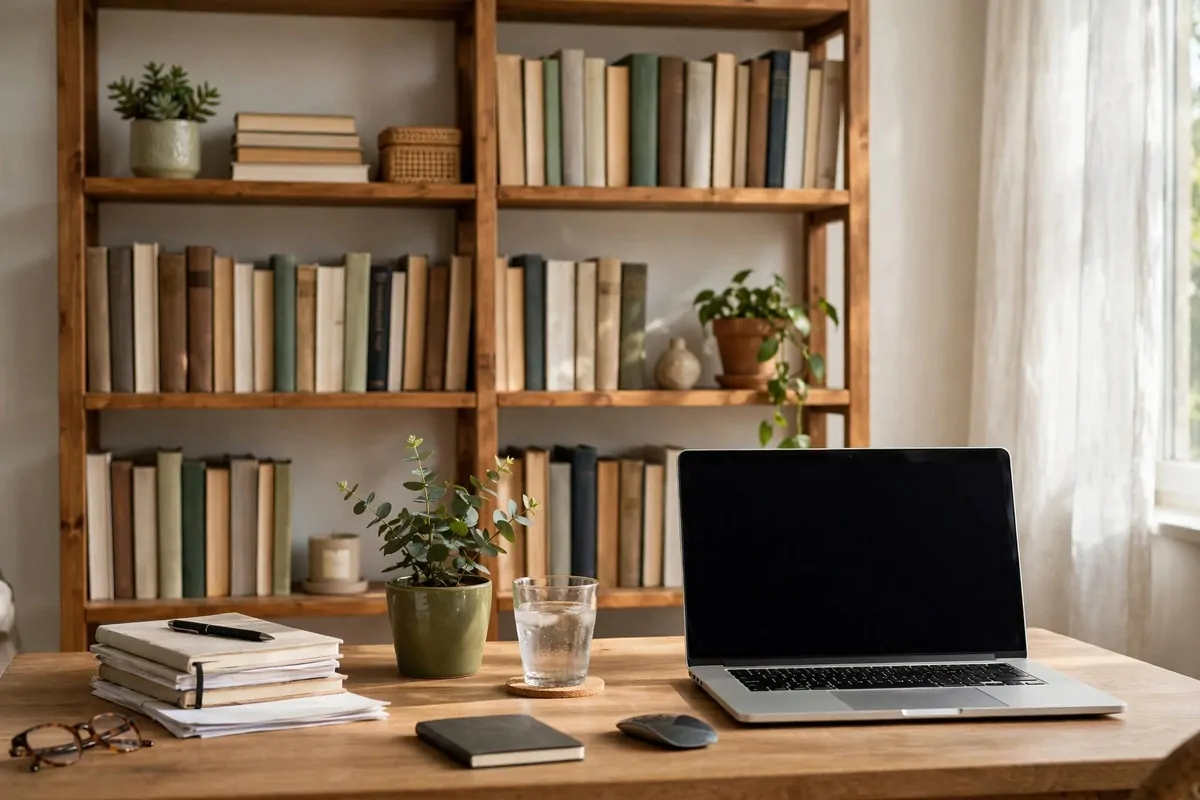
Your video background talks about you before you say a word. A messy pile of laundry talks badly. A tidy bookshelf talks well.
Arrange one shelf to face the camera. Books, a plant, one or two objects you like. That is your stage. The rest of the room can be chaos. Nobody knows.
Books make you look smart without trying. They really do. A row of books reads as thoughtful and serious. No reading required.
Add a small plant for life. Green softens the straight lines of books and shelves. It also photographs beautifully on camera.
One personal object tells a story. A framed photo, a souvenir, a small sculpture. People ask about it on calls. Instant friendly conversation.
Keep it tidy but not museum-perfect. A little life is good. Too perfect looks staged. You want a real person with a nice shelf.
Check the camera angle first. Sit down and take a test photo. The shelf might be too high or too low. Adjust before the real call.
If you share the room, the bookshelf can sit behind you on a rug. A defined corner reads as an office even in a living room.
Dust it sometimes. Cameras catch dust on dark shelves. A quick wipe once a month keeps it sharp.
This is free if you already own books and a shelf. Rearrange what you have. The camera only sees one small rectangle of your home.
14. Tame the Cables With a Tray
Look behind your desk right now. If there is a tangle of black spaghetti back there, you are normal. And it is costing you calm.
Cable mess is visual noise. Your eyes catch it a hundred times a day. Each time, a tiny bit of focus leaks away. You do not notice. Your brain does.
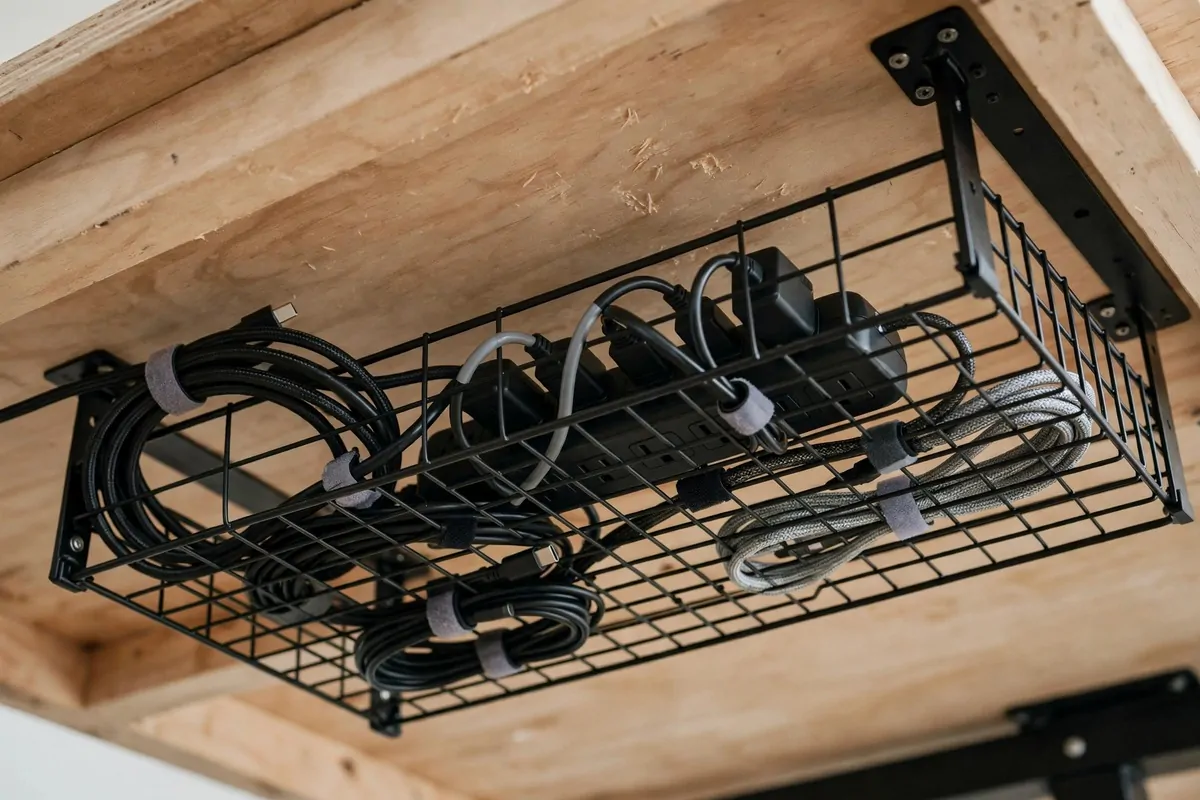
An under-desk tray holds the power strip and the cable slack. Everything lifts off the floor into the tray. The floor goes clean.
Velcro ties bundle loose cables. Cheap, reusable, wonderful. Bundle by device: monitor cables together, charger cables together. Logic helps later.
Label the plugs with tape. Monitor, laptop, lamp, phone. When something needs unplugging, you do not play the guessing game.
Keep one cable channel running down to the floor. A single spine looks neat. Five loose cables look like a bird’s nest.
Leave a little slack in each cable. Too tight and things pull out when you move the desk. Especially with standing desks that go up and down.
Clean under the desk while you install the tray. Dust bunnies love cable jungles. You will be shocked. I was.
The result is invisible but you feel it. The desk looks bigger. The room looks calmer. Cleaning the floor takes half the time.
Do this on a Friday afternoon. It is satisfying work and you start Monday with a clean slate. Literally.
15. Add a Warm Desk Lamp

Overhead lights are for finding lost socks. Not for working. They are too bright, too flat, and they make everything feel like a waiting room.
A desk lamp gives you light where your eyes actually look. The desk surface glows softly. The rest of the room stays calm. Your focus narrows naturally.
Warm light is the key. Look for bulbs around 2700 to 3000 kelvin. They feel like evening sun. Cool blue light feels like a hospital corridor.
Place the lamp on the opposite side from your writing hand. Right-handed, lamp on the left. This keeps your hand’s shadow off the page.
An adjustable arm lamp is best. Point it at paper when you read. Angle it away from the screen to avoid glare. Two jobs, one lamp.
Dimmable lamps are worth the small extra cost. Bright for detailed work, dim for relaxed email time. Your eyes adjust through the day. The lamp should too.
In the evening, the lamp becomes your shutdown signal. Overhead off, lamp on. Your brain learns that lamp light means the workday is winding down.
Pair it with daylight from the window during the day. Lamp plus window is the dream team. The lamp takes over gracefully as the sun leaves.
Keep the shade clean. Dust on a shade dims the light more than you think. A quick wipe every few weeks keeps it bright.
Small thing. Big mood change. A warm pool of light on your desk feels like the room is looking after you.
16. Rest Your Feet on a Footrest
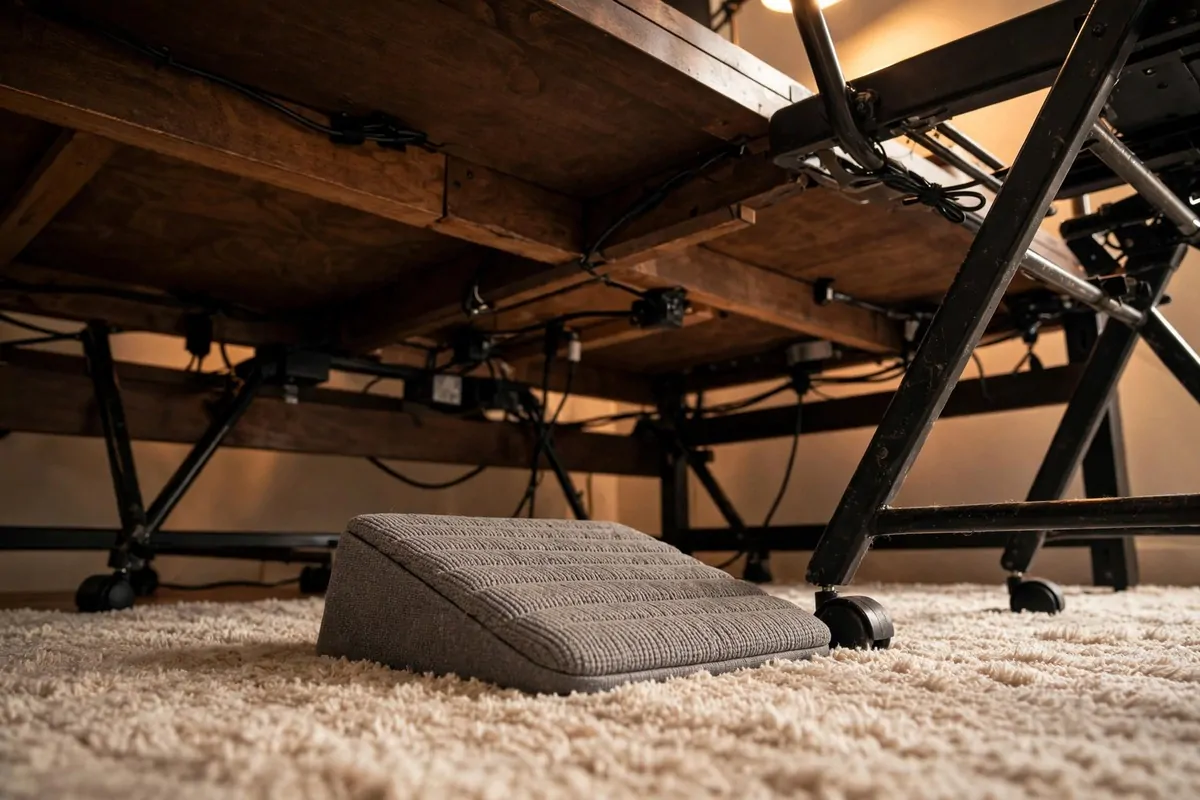
Your feet dangle or press flat all day. Neither is great. A footrest gives them a job and a comfortable angle.
Slight elevation helps circulation in your legs. Blood moves easier when feet are not flat on the floor for eight hours. Your legs feel lighter by evening.
It also fixes chair height problems. Chair too tall for you? Feet dangle. Footrest fills the gap. Your thighs stay level and your back stays happy.
Some footrests rock gently. A little movement keeps your feet from falling asleep. It is subtle. You barely notice you are doing it.
Others have a textured or bumpy surface. Roll your feet on it during calls. Tiny massage. Feels wonderful after a long morning.
Keep it simple. A box, a low stool, even a stack of books works. The fancy ones are nice but the idea is ancient. Feet like to rest on things.
If you use a standing desk, the footrest has a second job. Rest one foot on it while standing. Switch feet every while. Standing gets much easier.
Pair it with good shoes or bare feet. Thin socks on a hard footrest slide around. Grip matters more than you would guess.
This is the upgrade nobody brags about and everybody loves. Quiet comfort. The kind you only notice when it is missing.
Try it for one week. Your legs will vote yes.
17. Quiet the Room With Acoustic Panels
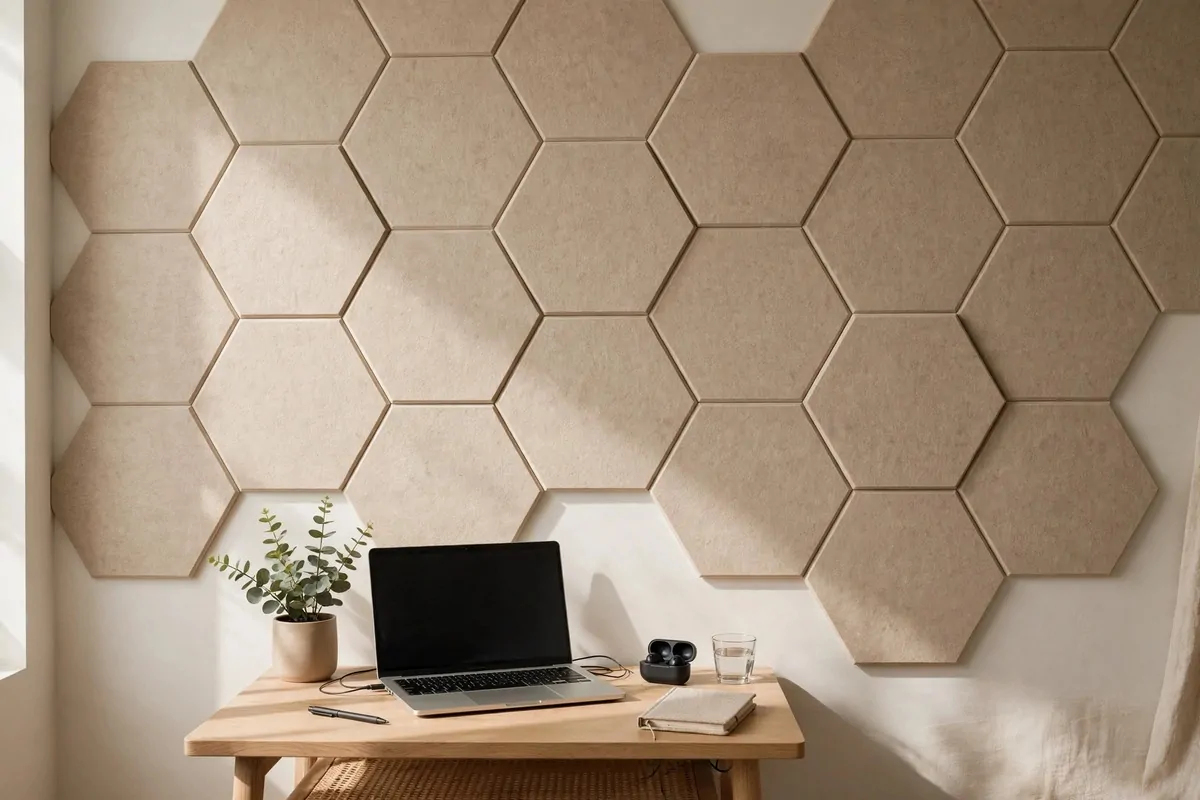
Hard walls bounce sound around. Your voice echoes on calls. The neighbor’s music leaks in. A room full of hard surfaces is loud in a tiring way.
Acoustic panels are soft boards that hang on the wall and soak up sound. They do not block all noise. They calm the noise that is there.
Your calls sound better instantly. No more echoey bathroom voice. People stop asking you to repeat things. That alone is worth it.
Panels come in nice shapes now. Hexagons, waves, simple rectangles in soft colors. They look like wall art, not office equipment.
Place them on the wall behind you first. That is where your voice bounces on calls. Then the wall to your side. Two walls is usually enough.
Rugs and curtains help too. Soft things absorb sound. A bare room with a tile floor is the loudest room of all. Layer the softness.
Bookshelves full of books are natural sound absorbers. The bookshelf backdrop from idea 13 is doing double duty. Smart, right?
Do not cover every wall. A little liveliness in sound is good. Total dead silence feels strange and makes people talk louder. Weird but true.
If panels are too pricey, hang thick fabric. A quilt, a heavy curtain, even a tapestry on the wall behind you. Soft is soft.
Quiet rooms make deep work easier. Your brain stops tracking every small sound. Focus gets cheaper. Attention stays longer.
18. Divide the Room in a Studio Flat
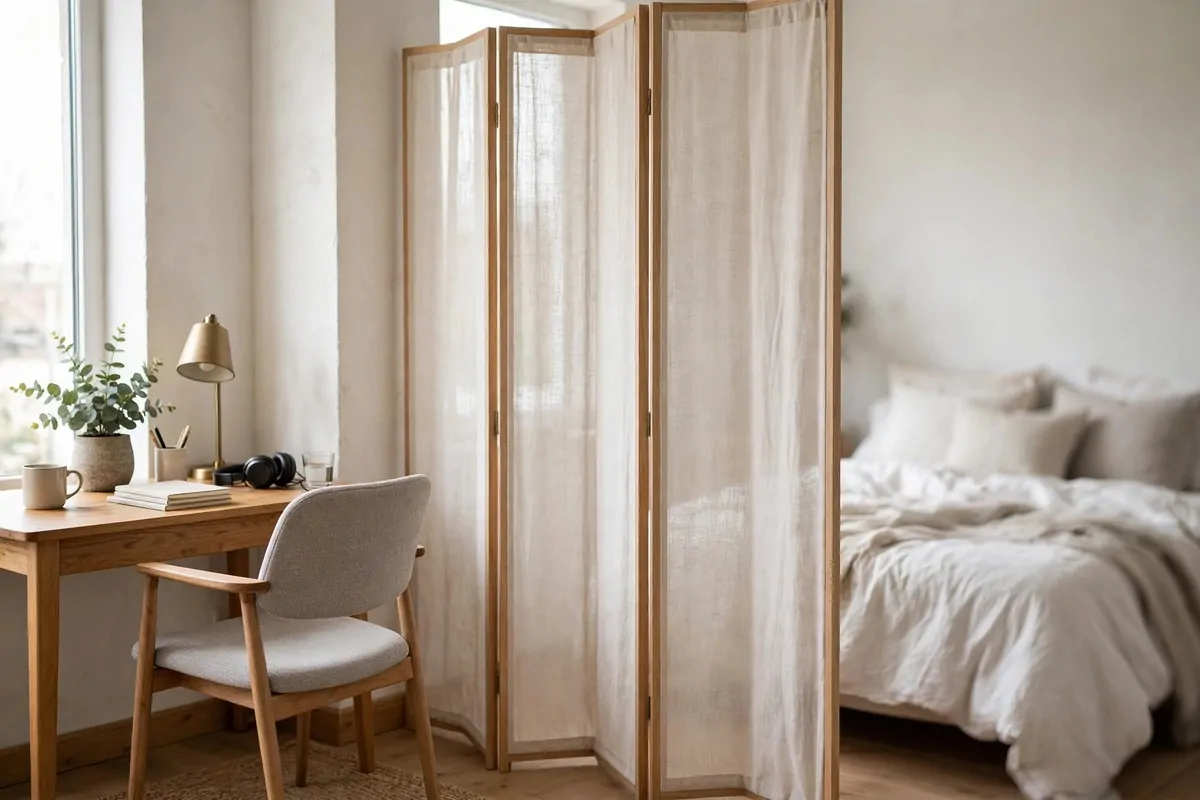
In a studio, the bed is ten feet from the desk. Work and rest share one room. That closeness messes with your head by week three.
A room divider draws a line. Not a wall, just a line. Your brain reads it as two spaces. Work happens on one side. Rest on the other.
Curtains on a ceiling track are the cheapest divider. Pull them shut at 6 p.m. The office vanishes. Pull them open at 9 a.m. The office appears.
Folding screens look beautiful. Wood, fabric, rattan. They stand on their own and fold flat. No drilling, no tracks, renter-friendly.
A bookshelf divider does two jobs. Storage plus separation. Put the pretty side toward the living area. Work side can be messy. Nobody sees.
Plants in a row make a living divider. Tall plants on stands create a green wall. It breathes, it looks alive, and it smells like a garden.
Here is how the common options compare.
| Divider type | Best for |
|---|---|
| Curtain on track | Full hide, cheapest, soft look |
| Folding screen | Renters, pretty, moves easily |
| Bookshelf | Storage plus privacy, sturdy |
| Row of plants | Airy feel, needs sunlight |
Keep the divider light-colored if the room is small. Dark dividers shrink a studio visually. Light ones separate without closing in.
Leave a gap at the top. Air and light still flow over the divider. The room feels divided but not chopped. That balance matters.
The evening ritual of closing the divider is powerful. It tells your brain the workday is over. In a studio, rituals do what doors do in houses.
19. Try a Sit-Stand Converter
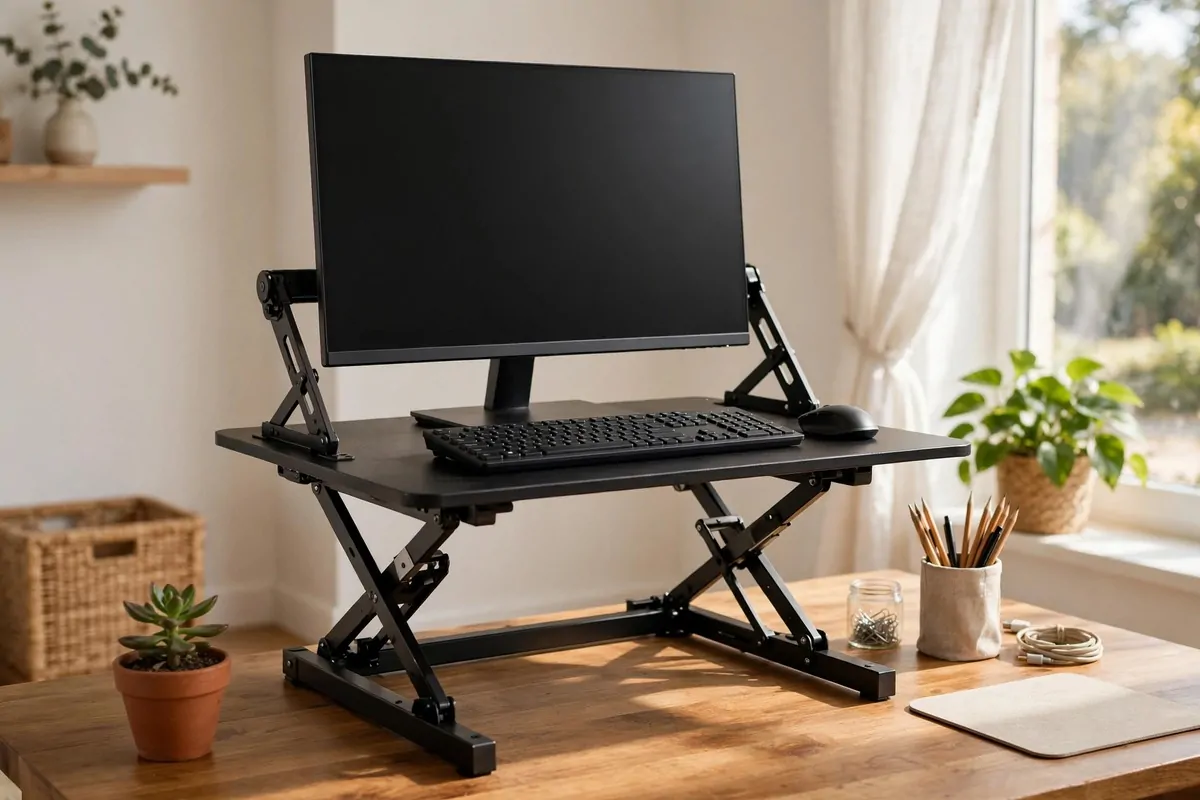
A standing desk is great. But what if you already love your desk? A sit-stand converter sits on top of it and gives you the standing option.
It is a platform that lifts your screen and keyboard up together. Pull a lever, it rises. Push it down, you are sitting again. Smooth and quick.
Everything stays aligned when it moves. Screen and keyboard rise as one unit. Your posture stays right in both positions. That is the clever part.
It costs less than a full standing desk. And you keep the desk you already own. The one that matches your room and holds your drawers.
Measure your desk depth first. Converters need room. About two feet of depth is comfortable. Less than that gets cramped.
Check the weight limit. Monitor plus laptop plus the converter’s own weight. Add it up. Most handle normal setups fine.
Some models have a keyboard tray built in. That drops the keyboard a touch lower than the screen. Better wrist angle. Worth looking for.
It does eat some desk space even when lowered. The base sits under everything. Accept that trade or it will annoy you daily.
Pair it with the standing mat from idea 2. Same rules apply. Feet happy, legs happy, afternoon slump gone.
This is the standing desk for people who are not ready to replace furniture. A test drive with training wheels. Many people never go back.
20. Think Big on a Whiteboard Wall
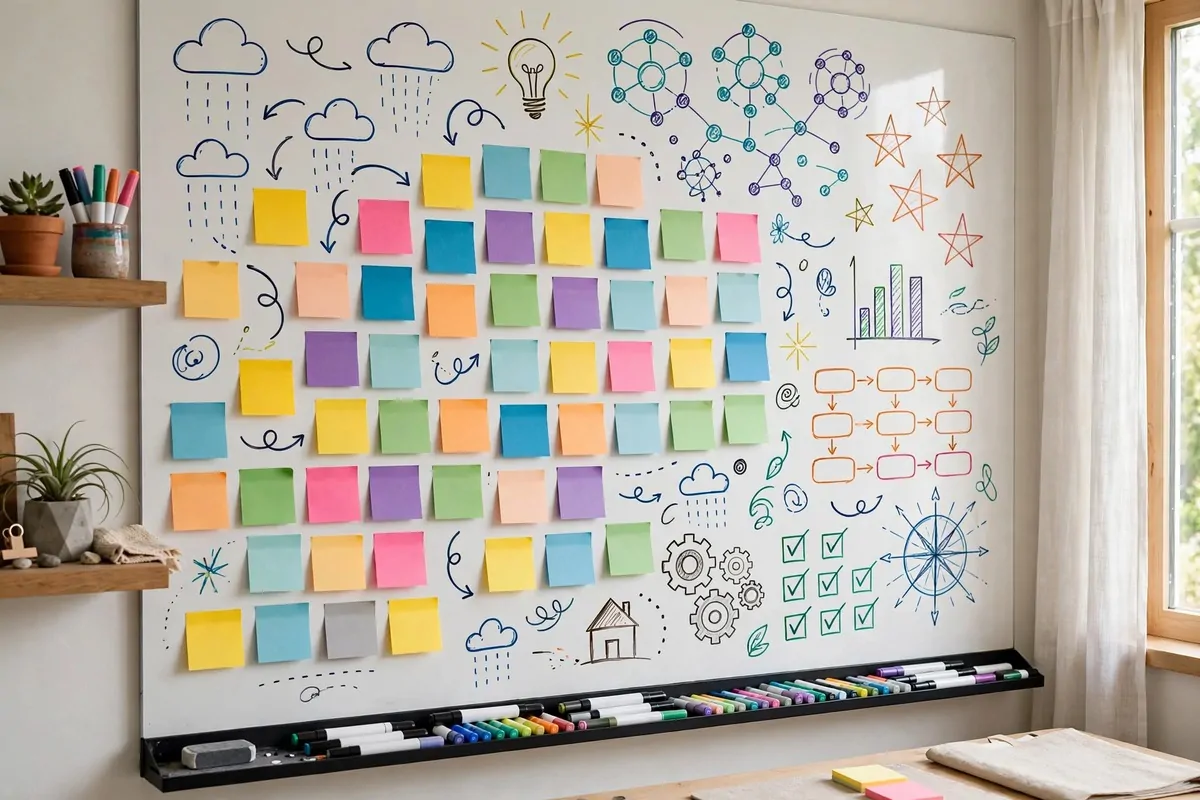
Some thoughts are too big for a notebook. They need wall space. A whiteboard wall gives your ideas room to stretch.
You can paint a wall with whiteboard paint. Or hang a large whiteboard. Or use a stick-on whiteboard film. All turn a wall into a thinking surface.
Brainstorming feels different at wall size. Your arm moves big. Your ideas move big. Small handwriting keeps thoughts small. Wall writing sets them free.
Plan your week where you can see it. Monday to Friday in big letters. Tasks under each day. The whole week lives on the wall, not in a forgotten app.
It is brilliant for calls. Turn the camera and show the plan. People follow a wall better than a shared screen sometimes. More human, somehow.
Use different colors for different things. Red for urgent. Blue for ideas. Green for done. The color code becomes a language you read at a glance.
Photograph the board before you erase it. Phone photo, done. The idea is saved. The wall is fresh. No guilt about wiping.
Keep markers and an eraser in a wall pocket. If the tools are across the room, you will not use the board. Tools must live with the wall.
Kids love a whiteboard wall too. Give them a corner and some washable markers. They draw while you work. Everybody wins.
A wall of ideas changes how a room feels. It says thinking happens here. It makes the office feel alive and in progress.
21. Make a Plant Corner
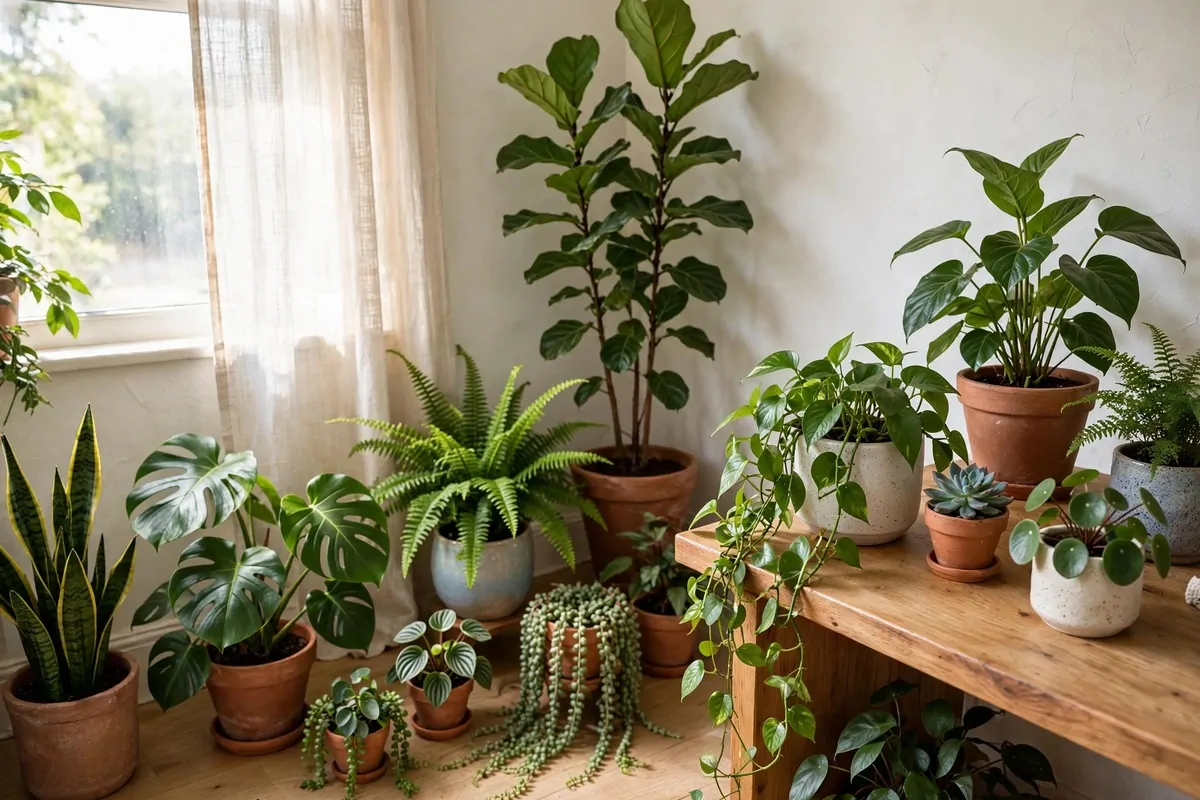
A plant in the corner of your office is not decoration. It is a coworker. A quiet green one that never schedules meetings.
Plants make a room feel alive. Screens and plastic and paper are dead materials. One living thing balances all of that. Your eyes rest on green naturally.
Pick easy plants first. Pothos, snake plant, ZZ plant. They forgive missed waterings. Beginners should start forgiving. Always.
A tall plant in the corner fills empty vertical space. Corners collect dust and sadness. A plant turns a dead corner into a focal point.
Small plants work on the desk too. A tiny succulent by the monitor. A small fern near the lamp. Little green punctuation marks around your work.
Watering becomes a break ritual. Stand up, water the plant, look out the window. Two minutes. Your eyes and legs both get a rest.
Plants also mark time. New leaves in spring. Slower growth in winter. Working from home can blur the seasons. The plant reminds you.
Keep them away from direct screen glare zones. And away from the heater vent. Plants have opinions about vents. Strong opinions.
If you travel, pick drought-tolerant types. Or get a self-watering pot. Dead plants in the corner send the wrong message. To you, mostly.
Start with one. See how it feels. Most people end up with three. Plant people are made, not born. Your office can make you one.
22. Keep a Coffee Station Close

Remember the cold coffee from the intro? This idea kills that problem forever. The coffee comes to the office. Not the other way around.
A tiny coffee station needs little space. A small table or a cart corner. Kettle or coffee maker. Mugs. The coffee itself. That is the whole station.
Hot coffee on demand changes the workday rhythm. Break means standing up, making coffee, stretching. Not a ten-minute trek to the kitchen and back.
Keep water there too. A small pitcher or a few bottles. Coffee dehydrates a little. Water next to coffee is a habit that builds itself.
The station becomes a break ritual. Step away from the desk, make the drink, breathe. Two minutes of not-screen. Your eyes will thank you.
Keep it tidy. Wipe the little table weekly. Old coffee rings are not charming. A clean station invites you back. A sticky one repels you.
If you do not drink coffee, make it a tea or water station. Same idea. The point is warm drinks within reach, not the kitchen across the house.
Watch the cables. Kettles and makers need power. One power strip, tucked neatly. No cords across the walkway. Tripping ruins the whole vibe.
This is also lovely for guests. Visitor in your office? Offer them coffee from your station. You look prepared. You feel prepared.
Small luxury. Big daily difference. The cold coffee problem is solved by twenty square inches of table.
23. Build a Charging Station
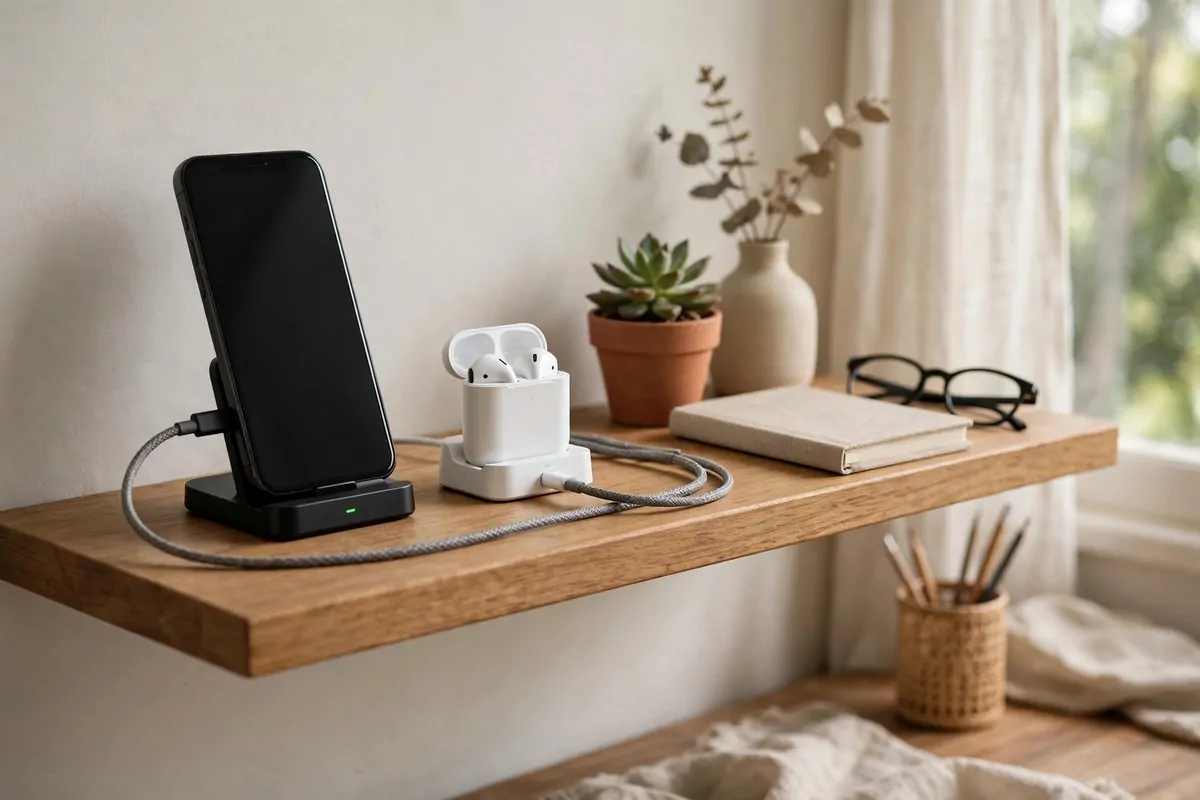
Phones, earbuds, tablets, watches. Everything needs charging and everything ends up scattered across the desk. Until you build a station.
Pick one spot for all charging. A shelf, a drawer with a power strip, a small box with holes. Every device lives there when it charges.
The desk stays clear of cables and glowing devices. Your phone charges across the room. You stop checking it every six minutes. Focus improves by itself.
A charging drawer is the tidiest option. Power strip inside the drawer, cables fed through the back. Close the drawer and the mess vanishes.
Label the cables if you share the station. His cable, her cable, the spare. Charging fights are silly but real. Labels prevent them.
Keep one spare cable for each type you use. USB-C, lightning, whatever your house runs on. The spare lives at the station, not in a junk drawer.
Charge overnight devices at the station, not by the bed. Your sleep improves. Your morning starts at the station, grabbing a full phone. Nice routine.
Use a timer plug if you worry about overcharging. Or just unplug in the morning. Modern devices handle overnight charging fine, mostly.
This is a fifteen-minute project. One power strip, one spot, a little cable tidying. The calm it brings is out of proportion to the effort.
Every device has a home now. And homes, even for gadgets, make life simpler.
24. Fight Gray Days With a Daylight Lamp
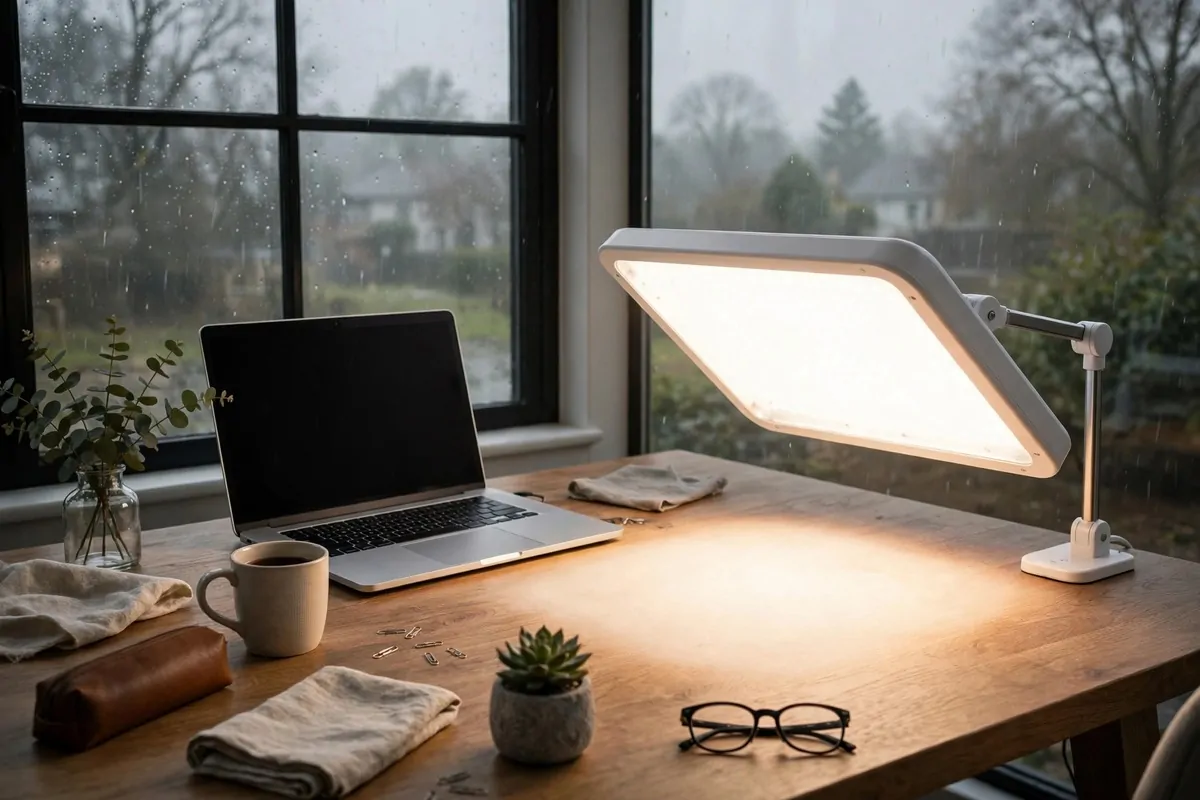
Winter mornings are dark. Your brain thinks it is still night. You feel slow until noon. A daylight lamp tells your brain the truth.
These lamps mimic natural sunlight. Bright, full-spectrum light. Sit near one for twenty or thirty minutes in the morning. It is like sunrise on demand.
Place it to the side of your desk, at arm’s length or closer. Not staring into it. Just in your field of view while you read email.
People in northern places swear by these. Dark winters are long. The lamp does not fix the weather. It fixes your mornings.
It also helps on gloomy rainy days in any season. Gray sky outside, bright lamp inside. Your energy stays steadier than the weather.
Use it early in the day. Morning light sets your body clock. Evening bright light can mess with sleep. Lamp off by late afternoon.
Pair it with your warm desk lamp from idea 15. Daylight lamp for the morning boost. Warm lamp for the afternoon calm. Two lamps, two jobs.
They come in small sizes now. Desk-friendly, not the giant boxes of old. Some look like a sleek tablet standing up.
This is not medical advice, just a popular home trick. If low mood in winter is serious for you, talk to a doctor. The lamp is a helper, not a cure.
Gray days will still be gray outside. Inside your office, you get to choose the light. Choose bright.
25. Claim the Corner With an L-Shaped Desk
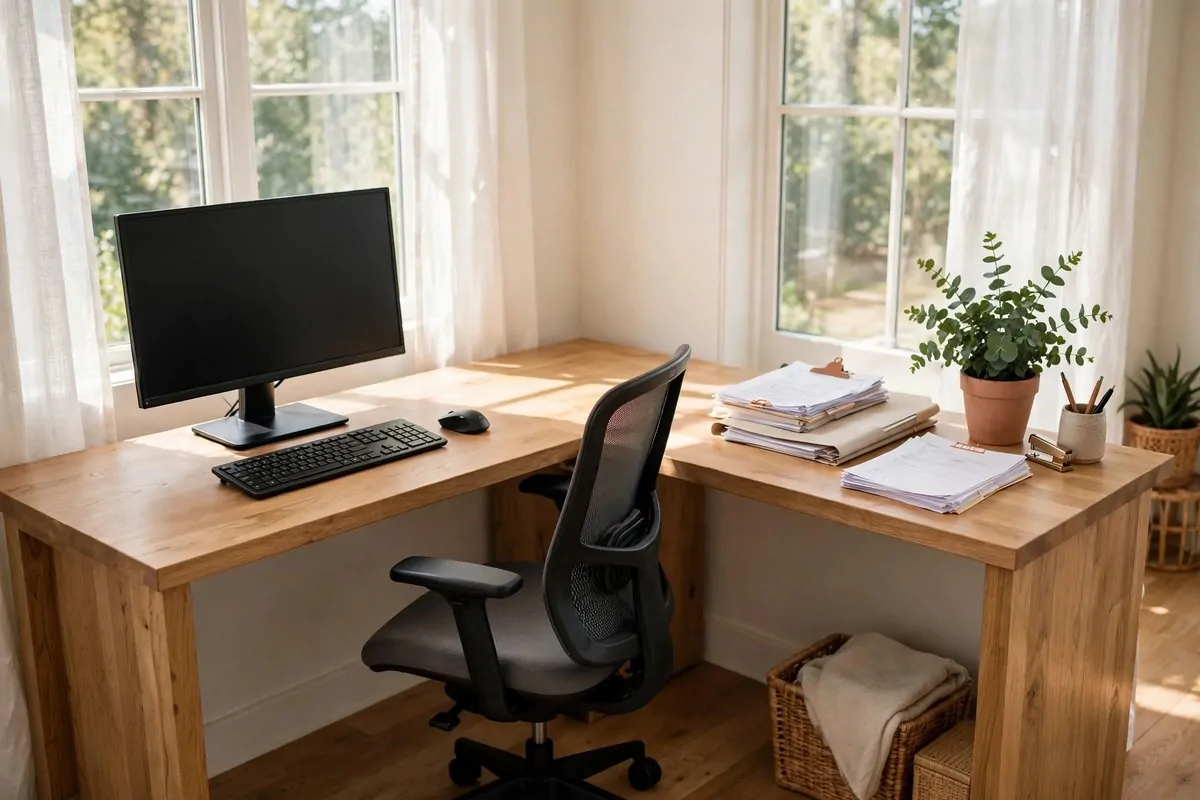
Corners are the most wasted space in any room. An L-shaped desk turns a dead corner into the best seat in the house.
One arm of the L holds your computer. The other arm holds papers, notebooks, the coffee mug, the project of the week. Everything has a zone.
Zones are the secret. Screen zone and paper zone stay separate. You stop shuffling piles to make room for the keyboard. Each arm minds its own business.
The corner itself becomes storage. The deep back corner fits a printer, a plant, or stacked trays. Deep corners are awkward for arms but perfect for things.
Left or right L matters. Think about your door and window before you buy. You want the long arm facing the best light. Measure the corner twice.
L-desks also work great for two purposes. Work on one side, crafts or bills on the other. At 6 p.m. you slide your chair over. Work stays put.
Cable management gets easier with more surface. Power strip along the back edge. Cables drop behind. The extra space swallows the mess.
If the room is small, a compact L still beats a straight desk. Even a small L gives you that second zone. The shape matters more than the size.
Pair it with a good chair that swivels. You will turn between the arms all day. A swivel makes the L feel like mission control.
Corners want to be useful. Give the corner a job and the whole room feels bigger. Funny how that works.
26. Sit on a Storage Ottoman
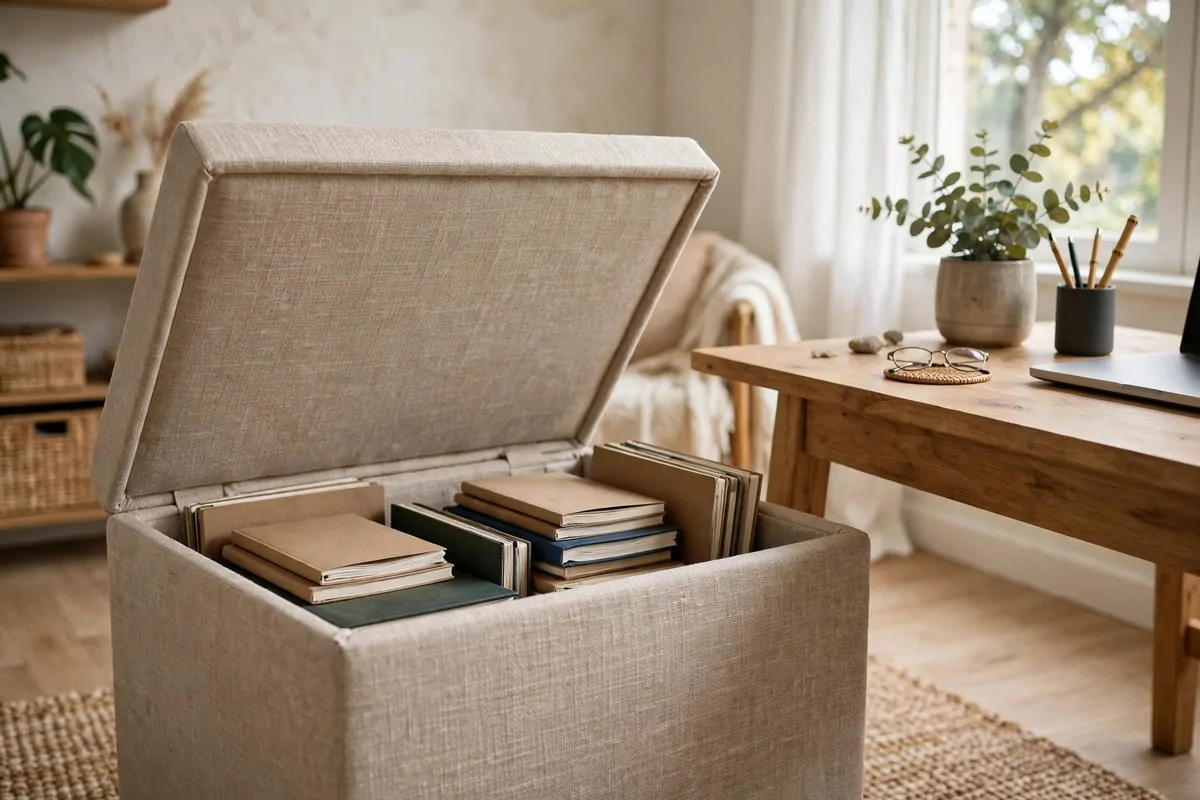
An ottoman is a soft padded seat with storage inside. Lift the lid, stuff goes in. Close it, sit on it. Two jobs, one piece of furniture.
Keep it by the desk for extra seating. Visitor drops in? They sit on the ottoman. No dragging chairs across the house. Instant guest seat.
The storage holds the things you need monthly, not daily. Spare cables, old notebooks, the tax folder, backup supplies. Out of sight, still close.
It also works as a footrest during long calls. Feet up, leaning back, listening. Calls feel shorter when your feet are comfortable.
In small offices, it replaces a filing cabinet. Files in folders inside the ottoman. Nobody knows your filing system is a seat. That is the charm.
Check the weight rating before you sit. Storage ottomans are built for sitting, but cheap ones are not. Sit-test it in the store if you can.
Keep a small tray on top when it is not a seat. Tray turns it into a side table. Coffee, notebook, phone. Multi-use furniture earns its floor space.
At day’s end, toss the day’s clutter inside. Quick reset. The office looks tidy in thirty seconds. Tomorrow you start clean.
One piece of furniture, three jobs. Seat, storage, table. Small rooms love that math.
27. Add a Pull-Out Keyboard Tray
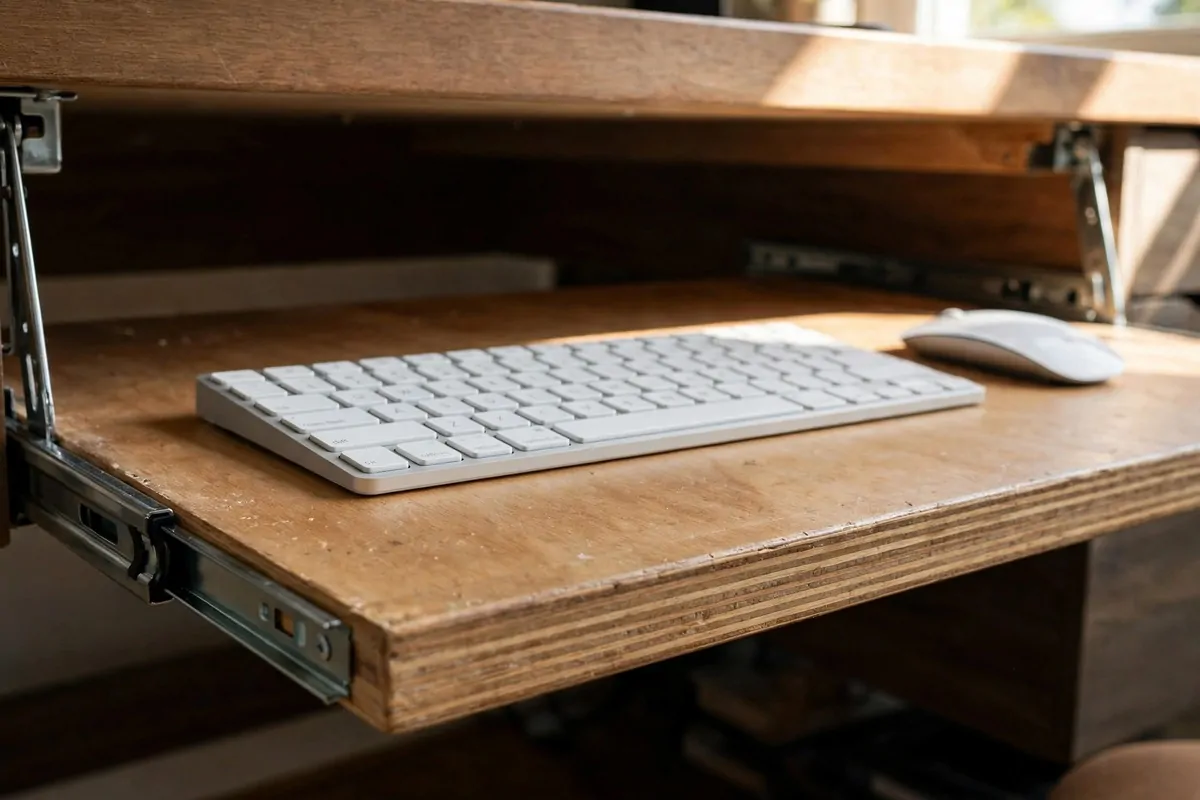
The last idea is small but mighty. A keyboard tray slides under your desk and pulls out when you type. Then it slides away.
It drops your keyboard a few inches below the desk surface. That small drop puts your wrists in a neutral, flat position. Less bending, less ache.
Your shoulders relax too. With the keyboard lower, your arms hang naturally. No more shrugging up to reach a too-high desk. The tension melts.
It frees desk space when pushed in. The whole desk surface opens up for writing, reading, or lunch. Your desk becomes bigger without getting bigger.
Most trays tilt slightly. A gentle negative tilt keeps wrists straightest. Play with the angle for a day. Your wrists will tell you what is right.
Mouse goes on the tray too, usually to the side. Keep it close to the keyboard. Reaching far for the mouse is its own little injury.
Installation is simple. Most clamp or screw under the desk in minutes. No special tools. If you can hang a picture, you can mount a tray.
Check knee clearance under your desk first. The tray needs a few inches of space. Thick desk aprons can block it. Measure before buying.
This is the finishing touch on an ergonomic setup. Chair right, screen right, keyboard right. The triangle is complete.
Small change. All-day comfort. The best kind of upgrade is the one you stop noticing because everything just feels fine.