Stand in the room you want to record in. Clap your hands once, hard. Now listen. Do you hear a little flutter, like the sound bouncing off the walls and racing back to you? That flutter is exactly what your listeners hear in every episode.
Your microphone hears the room more than it hears you. That sounds strange, but it is true. A good mic in a bare room still sounds thin and echoey, while a cheap mic in a soft, calm room can sound surprisingly rich. The room is doing half the talking, so the room is where the real magic lives.
Here is the good news. Fixing a room is mostly about soft things. Rugs, curtains, blankets, books, the clothes already hanging in your closet. You do not need a sound engineer or a big budget to get crisp, clear sound. You just need to understand where sound bounces and put something soft there.
I record my own podcast at home, and I learned every idea on this list the slow way, by testing one change at a time. These are the 18 podcast room setup ideas that made the biggest difference to my sound. Pick the ones that fit your room and start with just two or three.
1. Pick the Quietest Room You Own
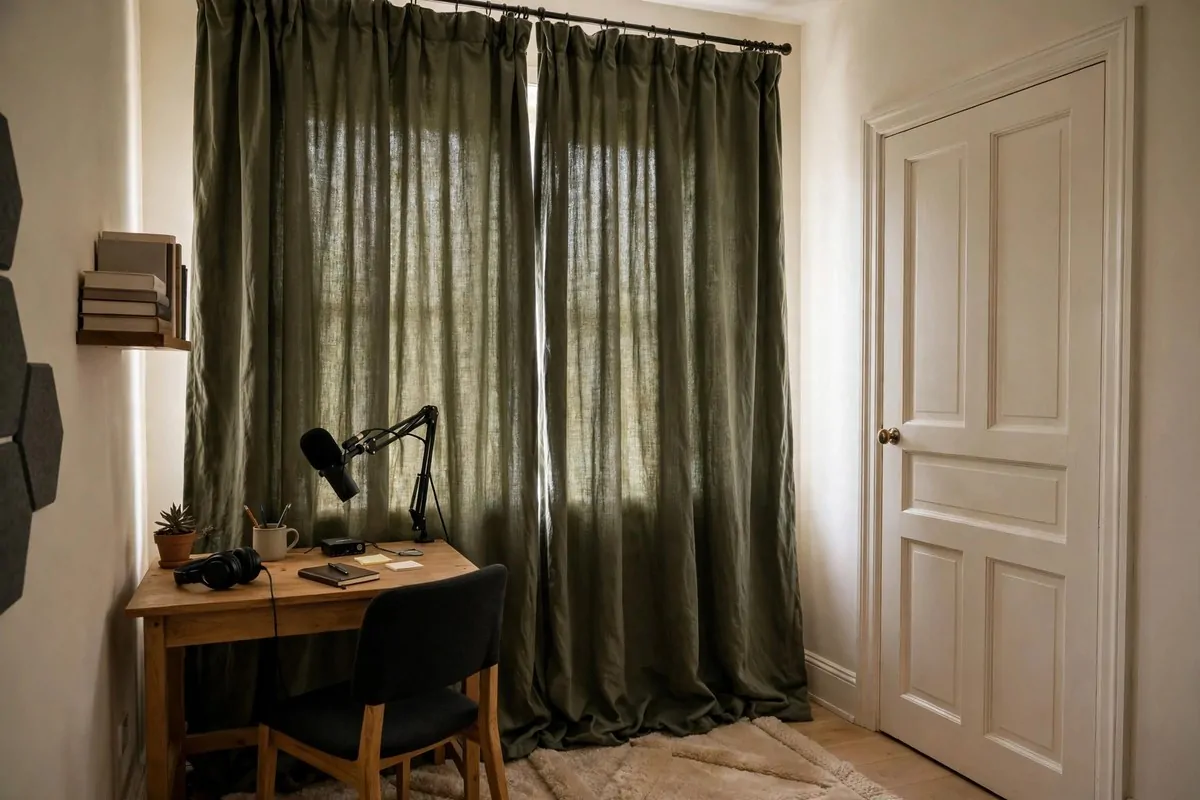
Before you buy anything, take a listening walk around your house. Stand in each room, close your eyes, and just listen for one full minute. You will be amazed at what you hear once you are actually trying.
The room that sounds quiet wins. Not the biggest room. Not the prettiest room. The quiet one.
Smaller rooms almost always sound better for podcasting. Less air in the room means less space for your voice to bounce around in. A spare bedroom will beat a big open living room every single time.
Stay away from the street side of the house if you can. Traffic hum, barking dogs, and delivery trucks all sneak into recordings. Pick the room farthest from the road, even if it is the smallest one you have.
Bedrooms make wonderful podcast rooms by accident. They already have a bed, curtains, a rug, and a closet full of clothes. All of those soft things are already doing sound work for you, quietly, for free.
Basements can work too, but watch out for the furnace and the water heater. They kick on at random times and hum right through your recording. If your basement is quiet, though, the solid walls are a gift.
Never pick the kitchen or the bathroom. Tile floors, bare walls, and hard counters turn your voice into a bouncy mess. I tried recording in a kitchen once and I sounded like I was shouting into a cave.
Test the room at the time you actually plan to record. A room that is silent at midnight might roar at 5 in the evening when the neighbors get home. Your podcast schedule should decide the room, not the other way around.
Once you pick the room, commit to it. Setting up one corner well will always beat setting up three corners halfway.
2. Treat Your First Reflection Points
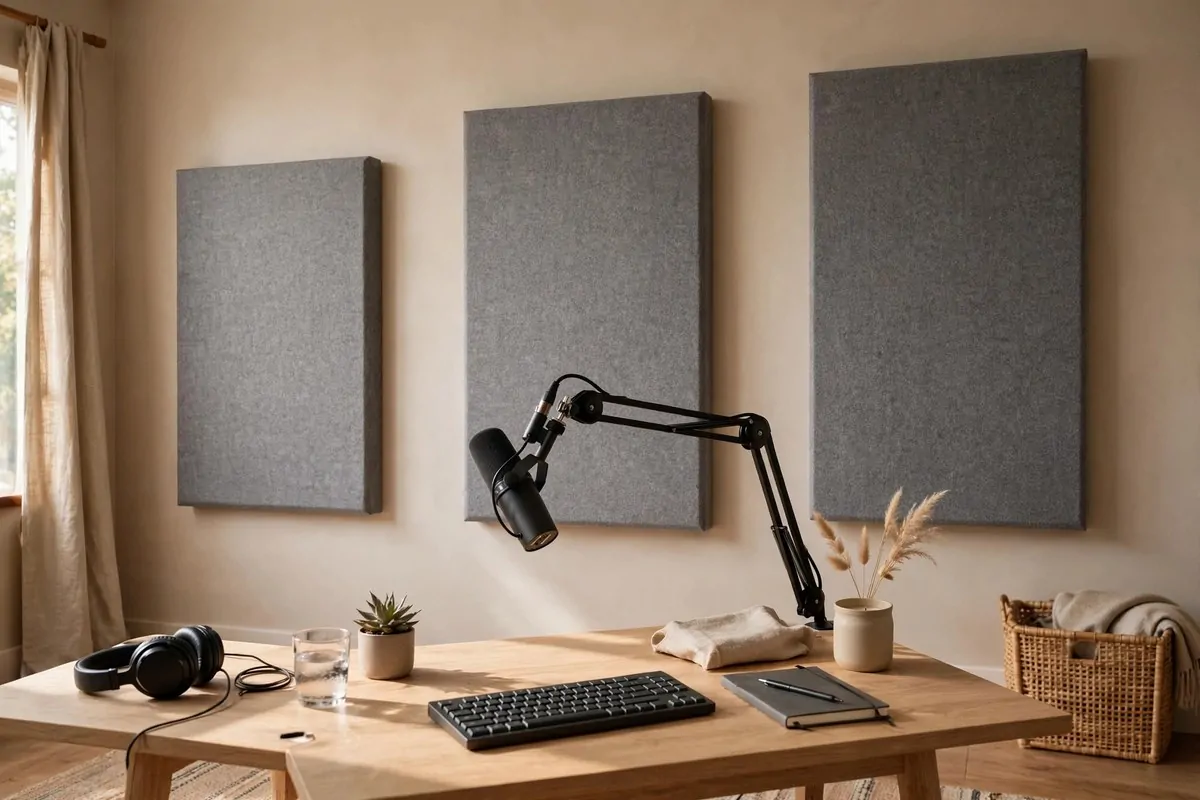
Your voice does not travel straight into the mic and stop. It flies past your mouth, hits the nearest hard wall, and bounces right back into the mic a split second later. That late echo is what makes home recordings sound amateur.
The places where sound bounces first are called first reflection points. The wall behind you, the wall to your left, and the wall to your right matter the most when you sit at the mic. Treat those three spots first and your sound jumps up a level.
Acoustic foam or fabric panels are the classic fix. You do not need to cover the whole wall. A few panels at ear height around your seat will catch most of the bad bounce.
Place one panel directly behind where you sit. This is the big one. Your voice hits that wall first and hardest, and softening it clears up your sound more than anything else.
Put one panel on each side wall, roughly in line with your head when you sit at the desk. Sit in your chair and have someone hold a mirror against the wall. Wherever you can see the mic in the mirror, that is where the panel goes.
Ceilings matter too, and almost everyone forgets them. If your ceiling is hard and flat, a single panel above your head, a ceiling cloud, catches the bounce you never thought about.
Here is a simple placement guide I follow in my own room.
| Spot | Where to put it | Why it matters |
|---|
| Wall behind you | Ear height, right behind your chair | Catches the strongest bounce |
| Side walls | Left and right of your seat at head level | Stops the flutter between walls |
| Ceiling above you | One panel over your desk spot | Kills the bounce you forget about |
| Wall behind the mic | Behind your desk if it faces a wall | Keeps the front of your voice clean |
Start with four to six panels. You can always add more later, but a few panels in the right places will change your sound more than twenty panels in the wrong places.
3. Add Bass Traps to the Corners
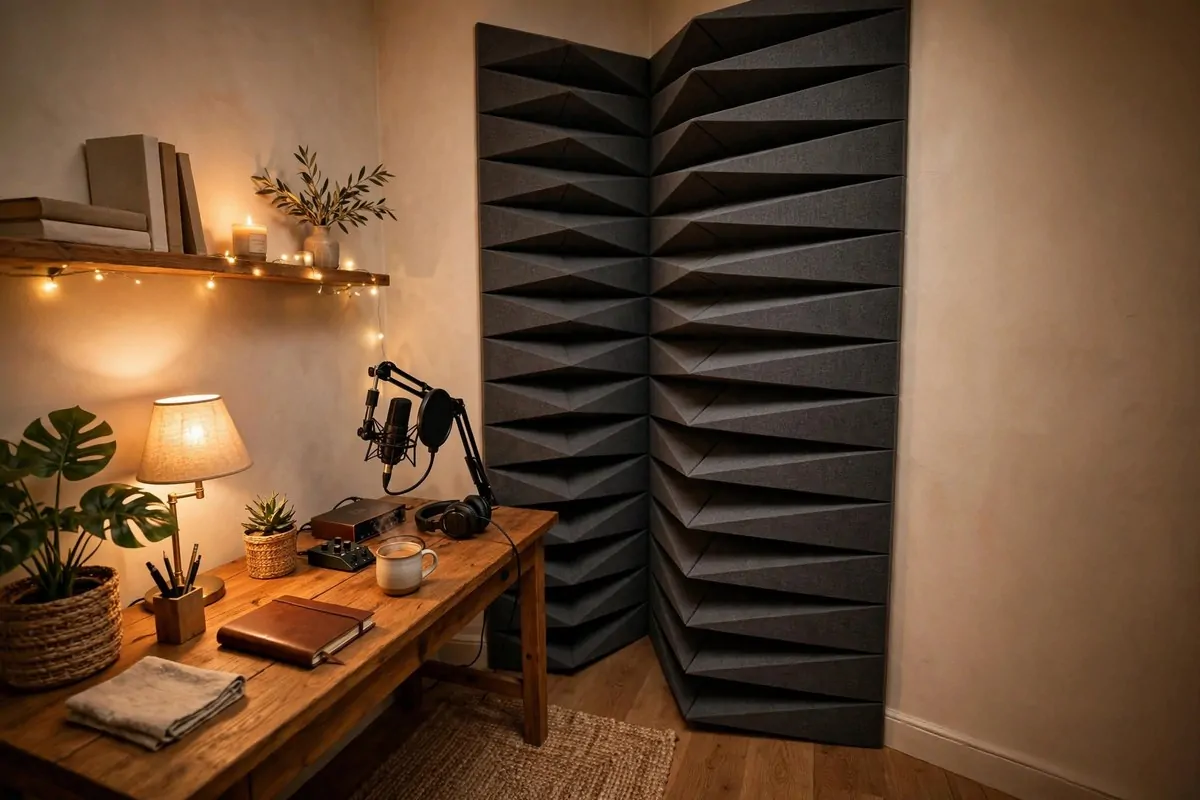
Corners are where bass goes to party. Low sounds pile up in corners and make your voice sound boomy and muddy, like you are talking into a box. Treating corners fixes a problem you can feel more than hear.
Bass traps are just thick, chunky pieces of acoustic material that sit in the corners of your room. They are deeper than wall panels, and that depth is what soaks up the low rumble. Foam wedges work, and thick mineral wool panels work even better.
Start with the two corners behind your desk. Those are closest to your mic, so they matter most. If your room has four free corners, doing all four is wonderful, but two will already help a lot.
Floor to ceiling is the dream setup. A full column of trapping in each corner catches bass at every height. If that feels like too much, start with the lower half, where your voice and the desk live.
Renters, you have options that need no drilling. Freestanding trap frames lean into the corner on their own. Some people just wedge thick cushions or rolled blankets into the corners during recording and put them away after.
You will know the traps are working when your voice sounds tighter. The muddy boom under your words disappears and your voice sits forward, crisp and present. It is one of those changes you notice right away.
Do not overthink this one. Two corners, some thick material, and a little patience will get you most of the way there.
If you can only buy one piece of treatment this month, make it a corner trap. It fixes the muddiest part of your sound and everything else you add later just builds on that win.
4. Put a Rug Down on Hard Floors
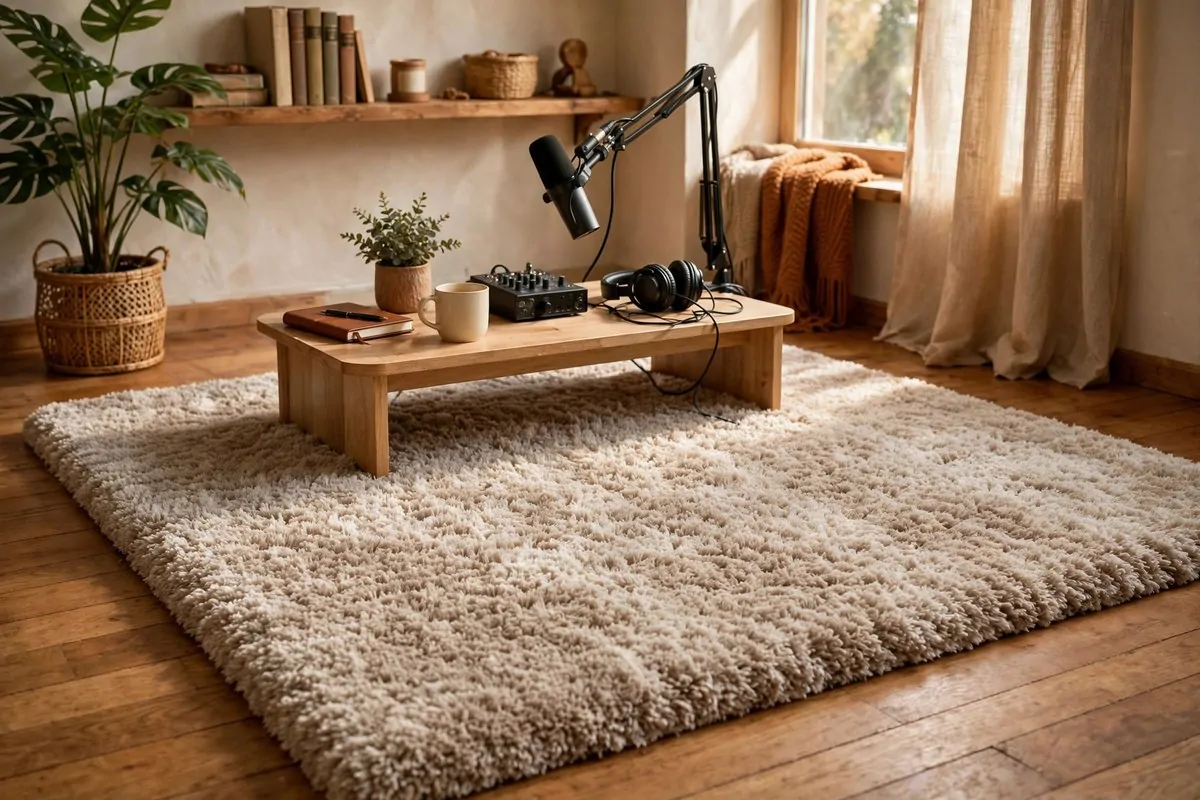
Hard floors are sneaky. You never think about them because you are not looking at them, but they throw your voice right back up at the mic. Wood, tile, and laminate are all guilty.
A thick rug under your desk is the fastest fix in this whole list. It absorbs the bounce between your voice, the floor, and the mic in one move. Your recordings get warmer and calmer instantly.
Thicker is better here. A thin flat mat barely does anything. You want a rug with real pile, the kind your feet sink into a little. The fluffier the better for sound.
Size matters too. The rug should cover the whole area under your desk and your chair. Sound bounces off any hard floor it can find, so do not leave a ring of bare wood around your setup.
Layer if you want to. A thin carpet pad under your rug doubles the absorption without changing the look. Nobody sees it, but your mic will hear the difference.
This matters extra in a room with high ceilings. Sound has more distance to travel, and the floor bounce becomes a bigger part of what the mic picks up. A rug plus ceiling treatment is a powerful pair.
Here are quick rug tips I share with every podcaster friend.
- Thick pile beats thin flat weave every time.
- Cover the floor under your desk and chair, not just the desk.
- A carpet pad underneath doubles the effect for almost no cost.
- Wall to wall carpet is the dream, but a big rug gets you most of the way.
If you have no rug and no budget, start with blankets on the floor. It looks silly and works beautifully. Your listeners cannot see the floor anyway.
5. Hang Heavy Curtains Over the Windows
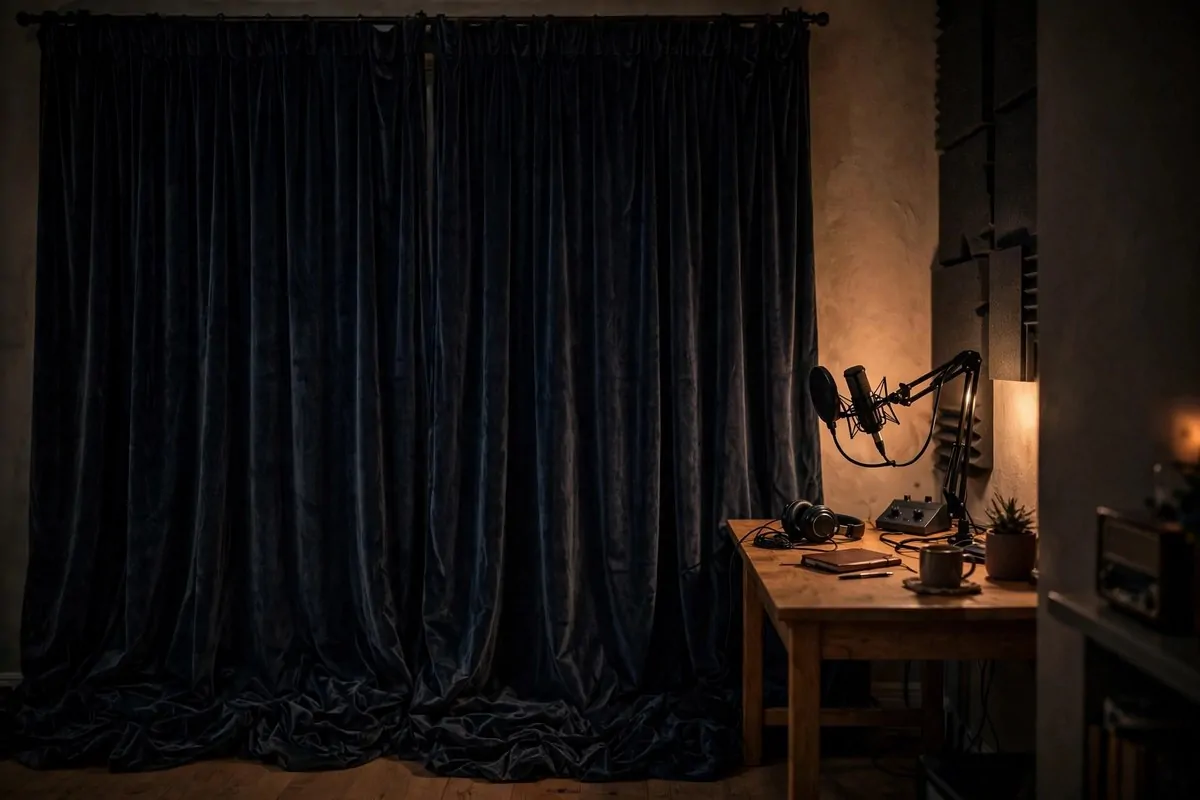
Windows are the enemy of good podcast sound. Glass reflects almost everything, and windows also let in street noise, wind, and the neighbor’s dog. One heavy curtain solves two problems at once.
Regular thin curtains are almost useless for sound. You want heavy ones. Velvet, thick cotton, or blackout curtains with real weight to them. Hold them in your hand. If they feel heavy, they will work.
Pull them fully closed every time you record. Half open curtains leave a strip of glass that still bounces your voice. Make closing the curtains part of your recording ritual, like putting on your headphones.
Curtains hung wide help even more. Extend the rod past the window frame on both sides so the curtain covers some wall too. More covered surface means less bounce, and it looks better on camera as well.
Double up if you need to. Two layers of medium curtains beat one layer of thin ones. You can even hang a quilt or a moving blanket over the curtain rod during sessions and take it down after.
Windows on the opposite wall from your mic matter most. Sound leaves your mouth, crosses the room, hits that glass, and comes straight back. But honestly, covering every window in the room is worth it.
Keep them closed while you record and open them after. That is the whole rule. Simple, free if you already own the curtains, and your sound gets smoother the same day.
If you rent and cannot change the rods, use tension rods or strong command hooks. They hold heavy curtains fine and come down clean when you move out.
6. Let a Full Bookshelf Do the Work
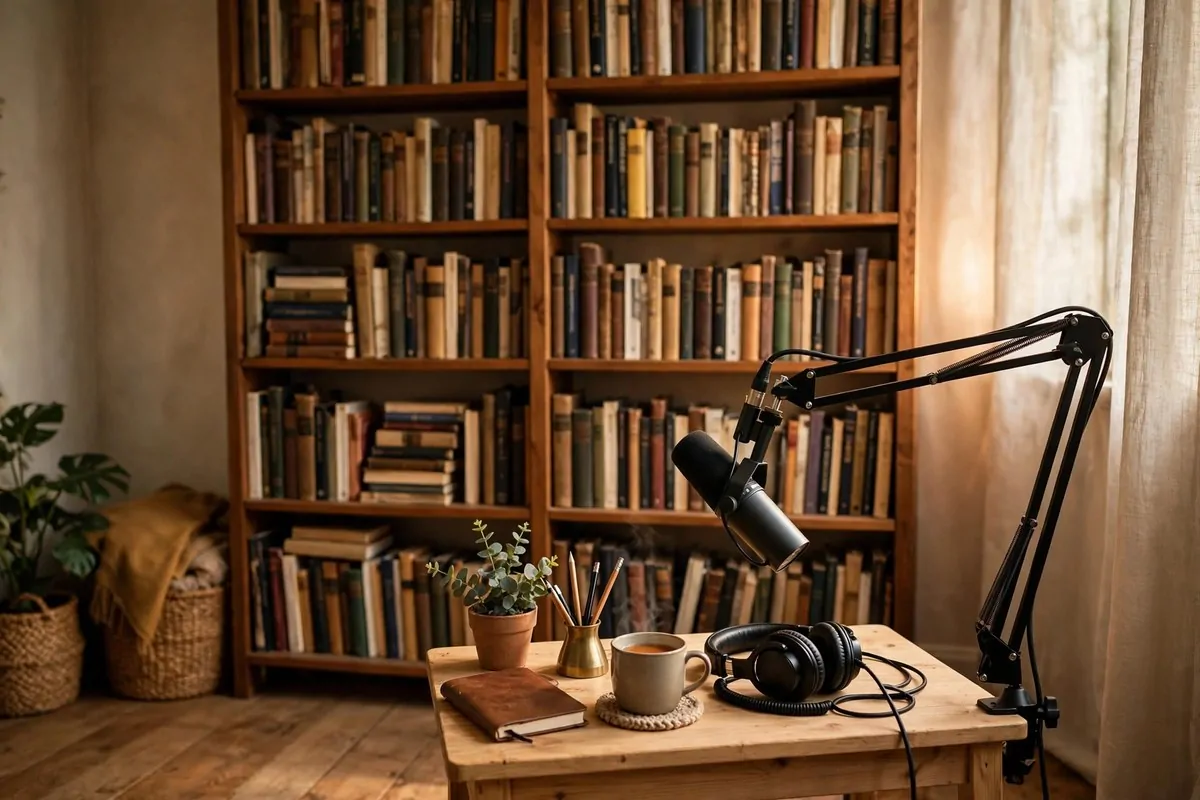
A full bookshelf is one of nature’s best sound tools. Books of all different sizes break up sound waves instead of bouncing them back flat. Sound engineers call this diffusion, and it is a fancy word for a simple idea.
Push a tall bookshelf against the wall behind your mic position. Fill it with books, and do not arrange them neatly. The uneven spines and random gaps are exactly what scrambles the reflections. Messy shelves sound better than perfect ones.
Vary the depth too. Pull some books forward, push some back. Every little angle sends sound off in a different direction instead of straight back at your mic. Your voice ends up sounding natural and lively, not dead or flat.
Bookshelves also look great on camera. A wall of books behind you tells your video audience that you read, you think, you have a world. It is the most loved podcast background for a reason, and the sound bonus is free.
No books? Boxes of stuff work almost as well. Bins, board games, fabric storage cubes, even folded clothes stacked unevenly. Anything with lots of different surfaces will scatter the sound.
Do not put the bookshelf in a corner and forget it. It needs to be where sound actually hits, which is behind you or behind your desk. A bookshelf on the wrong wall is just furniture.
This is my favorite free treatment trick. You already own the books. You already own the shelf. You just have to move them to the right wall.
One more thing. A bookshelf full of stuff also blocks sound from the next room. It is not real soundproofing, but it does take the edge off noise leaking through thin walls.
7. Turn a Closet Into a Mini Booth
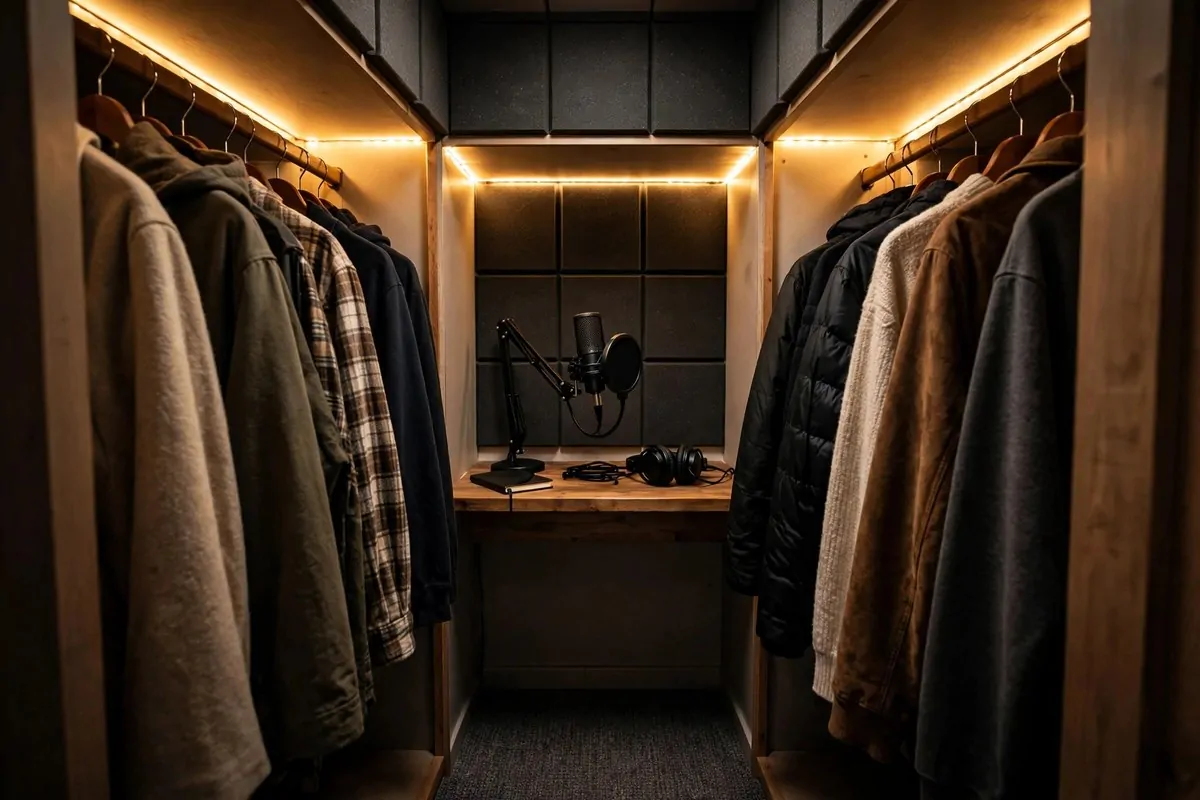
Walk-in closets are the best free recording booths in any house. Think about it. Clothes on every side, a door that closes, soft carpet under your feet. It is basically a tiny studio that came with your home.
The hanging clothes are the secret. Jackets, shirts, and dresses on both sides of you absorb sound beautifully. Every layer of fabric catches a little more bounce, and by the time your voice reaches a wall there is nothing left to reflect.
Set up a small shelf or a folding table inside as your desk. Put your mic on a short stand at mouth height. Bring a stool or a cushion to sit on. Leave the door slightly open for air, or take short breaks between segments so you do not roast.
Lighting matters in there. Closets are dark, and you still need to read your notes. A small clip lamp or a warm string light makes the space feel cozy instead of cramped.
Record a test and compare it to your room. Most people hear the difference in ten seconds. The closet recording sounds dry, close, and intimate, like the voice is right next to your ear. That is exactly what podcast listeners love.
This is perfect if you are just starting out. No panels to buy, no furniture to move. You can be recording in your closet tonight, and honestly, some of the cleanest podcast audio I have ever heard came from a closet.
Here is what your closet booth needs.
- A small table or shelf at the right height for your mic.
- A stool, cushion, or small chair that fits inside comfortably.
- A clip lamp or string lights so you can see your notes.
- A way to get some air, even just the door cracked open.
Your closet will not stay your studio forever, but it might be the best sounding room you ever record in.
8. Build a Blanket Fort When You Need One
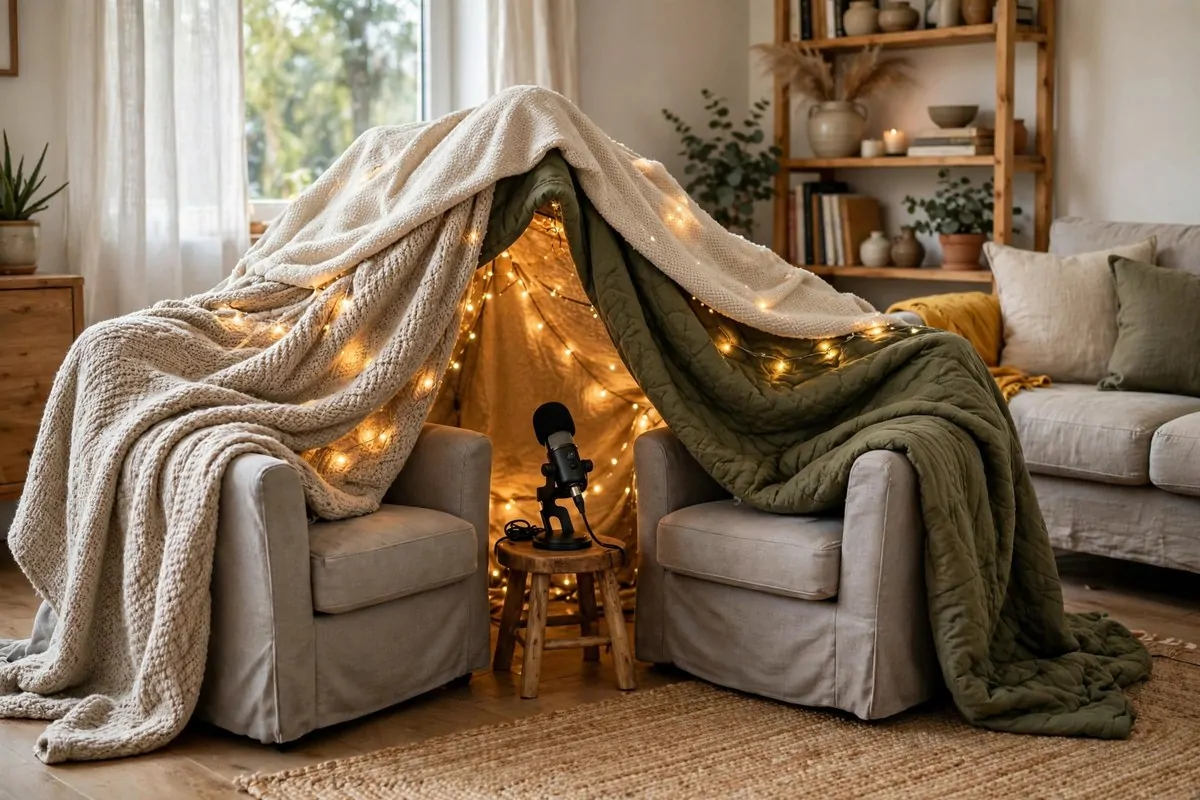
Sometimes you need good sound for one episode and you need it tonight. No time to shop, no time to build. This is when the blanket fort saves you, and yes, I am completely serious.
Drape thick blankets over two chairs, a table, or a clothing rack to make a little tent around your recording spot. The blankets trap your voice inside a small, soft pocket of air. Echo has nowhere to live in there.
Use your heaviest blankets. Duvets, quilts, and moving blankets are perfect. Thin sheets will help a little, but heavy fabric is what really soaks up the bounce. Layer two or three if you have them.
Sit inside with your mic and your notes and nothing else. The smaller the fort, the better the sound. You want your voice to meet soft fabric quickly, before it can travel and bounce.
This is my secret weapon for bad rooms. Hotels, guest rooms, a friend’s living room before a remote interview. Wherever I am, I can build a fort in ten minutes and get clean, dry audio that sounds like a real booth.
It also works great for guests. If you interview someone over the phone or video, tell them to sit in a closet or under a blanket fort too. Their side of the conversation will sound ten times better, and your whole episode lifts up with it.
Do not feel silly about it. Some of my favorite episodes were recorded under a duvet tent in my own bedroom. Your listeners hear the result, and the result sounds professional.
Keep a couple of heavy blankets somewhere easy to grab. When the room sounds bad and the clock is ticking, the fort is always there for you.
9. Get Your Mic on a Boom Arm With a Shock Mount
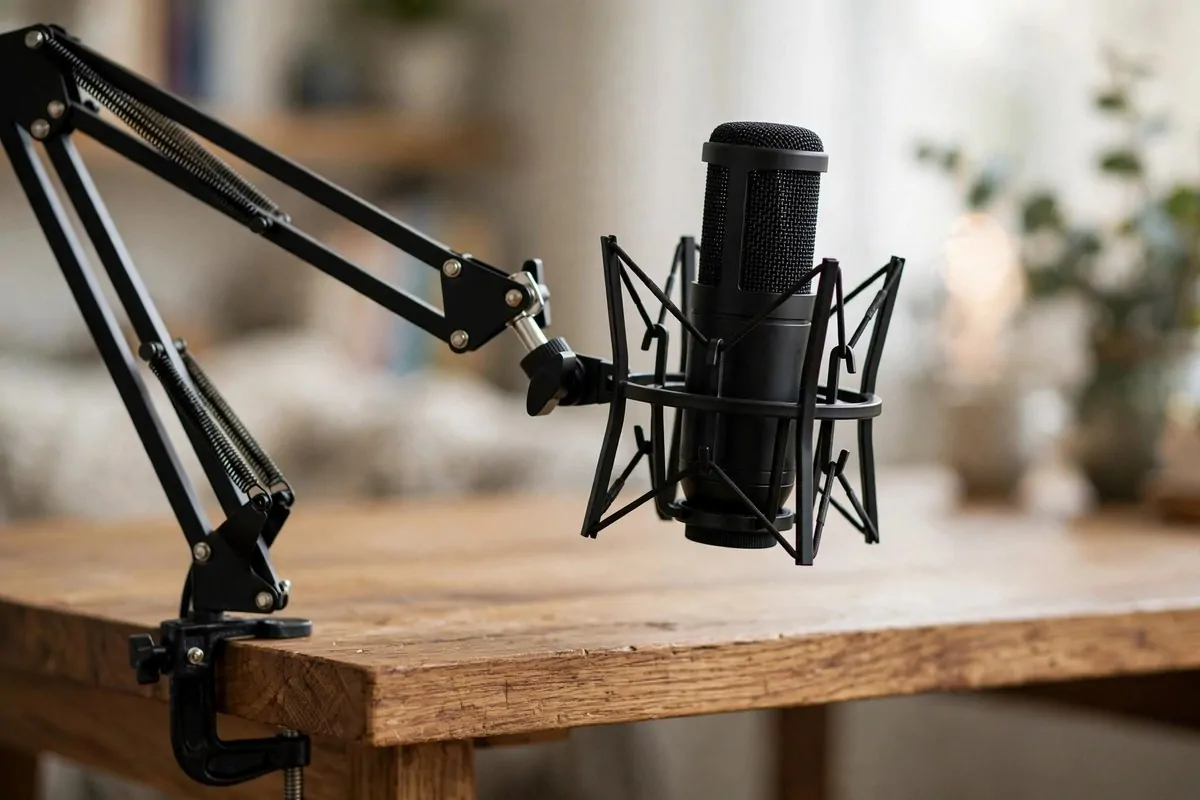
A boom arm is the metal arm that clamps to your desk and holds your mic floating in the air. It looks like a little robot limb, and it is one of the best upgrades you can make for your podcast room setup.
The big win is distance control. You can swing the mic right to your mouth, two or three fingers away, and it stays there. That close distance is the single easiest way to get crisp, clear sound. Your voice stays loud and the room stays quiet.
A shock mount is the stretchy spider web holder that the mic sits in. It absorbs tiny vibrations before they reach the mic. Every desk tap, every keyboard click, every bump of your elbow would otherwise travel up the stand and into your recording.
Together they kill the two worst desk sounds. No more thumps when you set your coffee down. No more rumble when you type notes during the show. Your audio gets cleaner without you changing a single habit.
Boom arms also free up your desk. Your mic floats instead of sitting on a stand in the middle of everything. Your notes, your water, your keyboard all have room again, and you look like you know what you are doing on camera.
Clamp it to the back or side edge of your desk so the arm reaches over your work area. Tighten everything well, because a droopy arm that slowly sinks during a show will drive you crazy. Ask me how I know.
Here is the setup order I recommend.
- Clamp the boom arm firmly to a solid desk edge.
- Slide the shock mount onto the end of the arm and lock it.
- Seat your mic in the shock mount and tighten gently.
- Position the mic two to three fingers from your mouth.
A boom arm and a shock mount cost less than most mics, but they protect your sound every single episode. It is money well spent.
10. Use a Pop Filter for P and B Sounds
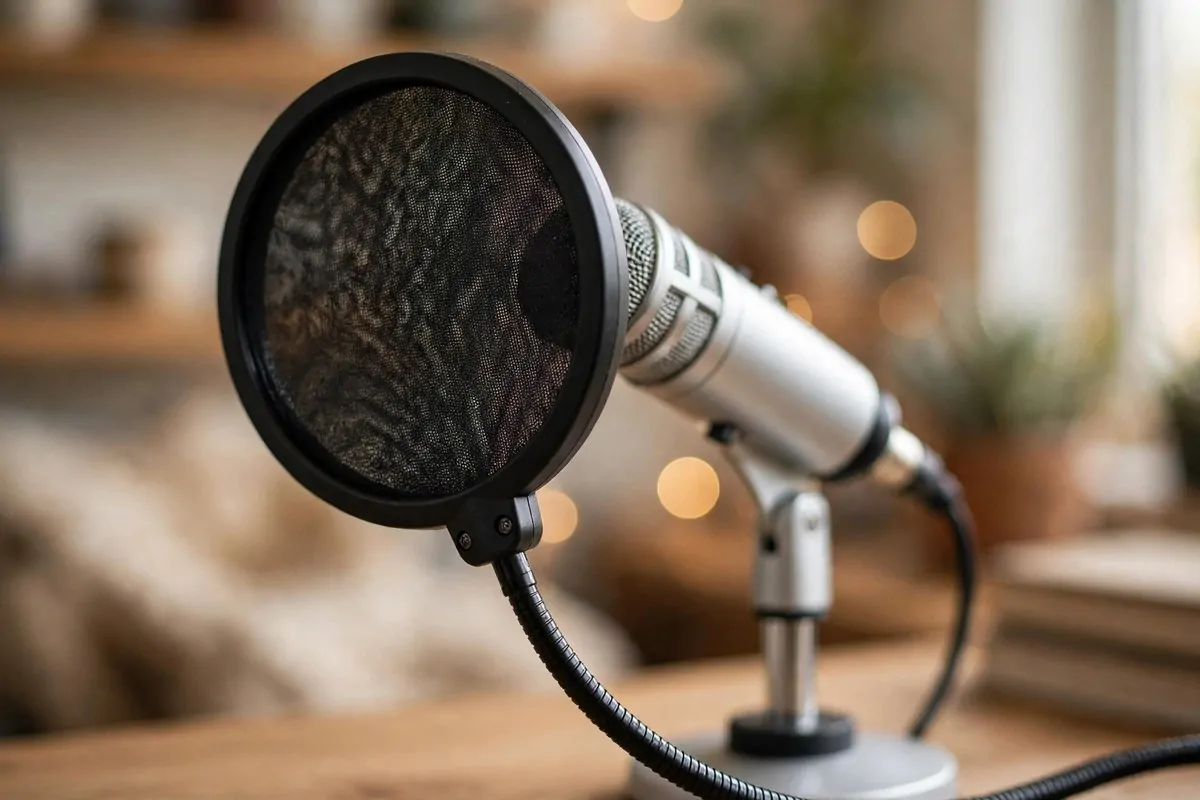
Say the word podcast into your hand. Feel that little puff of air on the P? That puff is called a plosive, and it hits your microphone like a tiny explosion. In your recording it sounds like a dull thump that ruins an otherwise perfect take.
A pop filter is the round mesh screen that sits between your mouth and the mic. It breaks up those puffs of air before they can slam into the mic. Your P sounds, B sounds, and T sounds come out clean instead of boomy.
Mount it on a flexible gooseneck about two inches in front of your mic. Close enough to catch the puffs, far enough that you can still see your notes past it. It should not touch the mic itself.
You can buy one for very little money, and they all do basically the same job. Nylon mesh, metal mesh, it does not matter much for podcasting. Get the one that fits your budget and your mic size.
A homemade version works in a pinch. Stretch a stocking or a thin sock over an embroidery hoop or a bent wire hanger. It looks funny and works surprisingly well. I have used one during a broken-filter emergency and nobody could tell.
Angle matters a little. Keep the filter flat facing you, straight on. If you tilt it too much the air sneaks around the edges and you get plosives anyway.
Test it with a sentence full of danger words. Peter Piper picked a pepper. If the P sounds stay smooth and soft, your filter is doing its job. If you hear thumps, move the filter a little closer.
It is a small piece of gear with a huge job. Every pro studio has one, and now your podcast room setup should too.
11. Pick the Right Mic for Your Room
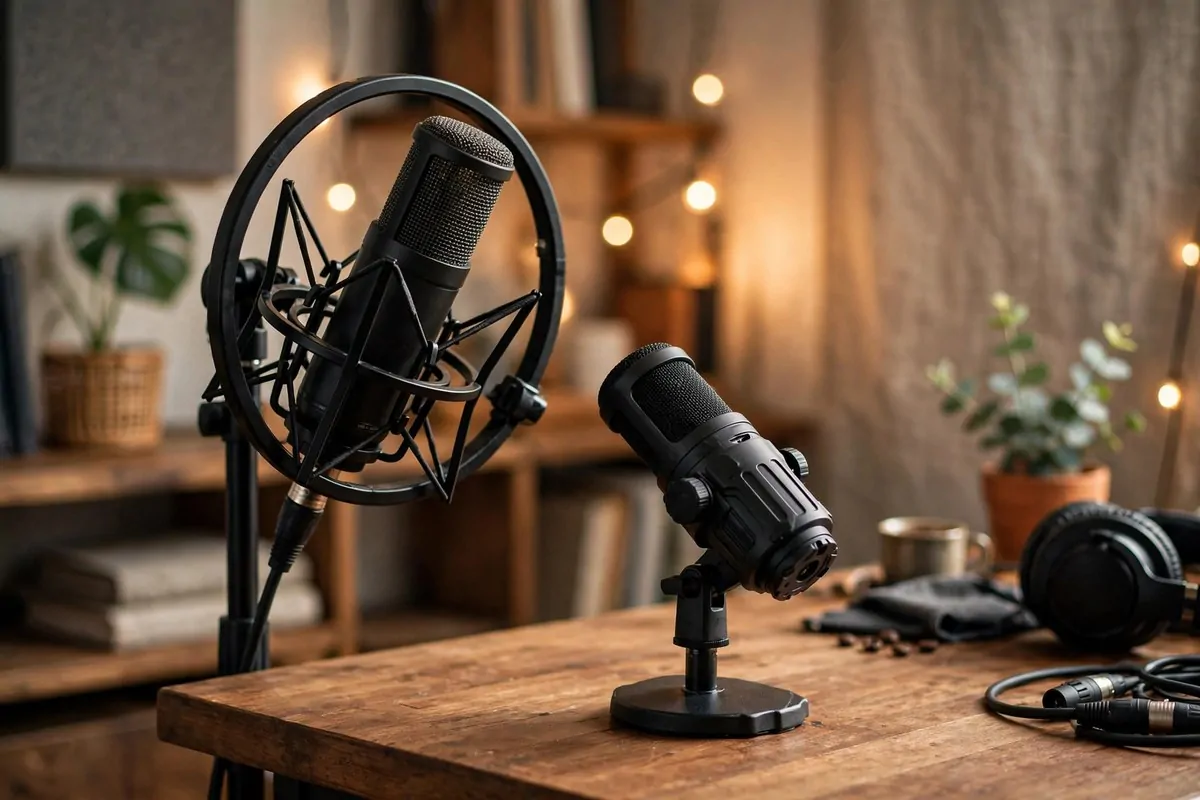
Not all mics love all rooms. Some mics hear everything, including your fridge, your neighbor, and that echo off your bare wall. Others only hear what is right in front of them. Picking the right type for your room matters more than picking an expensive one.
Condenser mics are the sensitive ones. They catch every detail of your voice, which sounds amazing in a treated room. But in an untreated room they also catch every detail of the echo, the traffic, and the hum. They are honest to a fault.
Dynamic mics are the forgiving ones. They focus on what is close and mostly ignore the rest of the room. In a normal home that is not perfectly treated, a dynamic mic will give you cleaner, more podcast-ready sound with much less work.
If your room is a spare bedroom with soft stuff everywhere, either type works well. If your room still has bare walls and hard floors, start with a dynamic mic. You can always upgrade later when your treatment catches up.
USB mics are the easiest starting point. One cable to your computer and you are recording. No extra gear needed. XLR mics need an audio interface, which costs more but gives you more control and better quality down the road.
Here is how I think about the choice.
| Mic type | Best for | Watch out for |
|---|
| Dynamic | Untreated or noisy home rooms | Needs you to stay close to it |
| Condenser | Well treated, quiet rooms | Hears every room flaw and background noise |
| USB | Beginners and simple setups | Less room to grow later |
| XLR | Growing shows and better quality | Needs an interface and cables |
Do not chase the most expensive mic first. Match the mic to the room you actually have. A forgiving mic in a normal room will always beat a sensitive mic in a bad room.
Borrow before you buy if you can. One afternoon of testing a friend’s dynamic mic in your actual room tells you more than a hundred reviews ever will.
12. Face the Soft Stuff When You Record
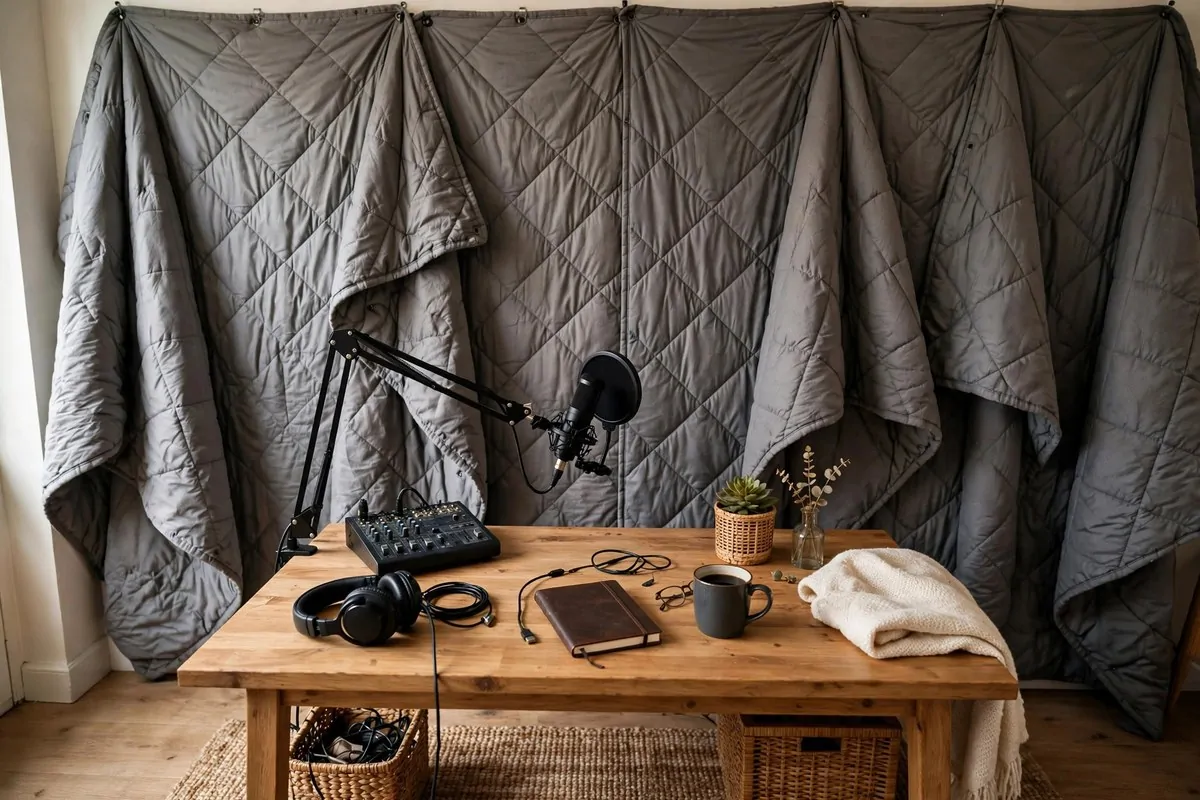
Which way you face matters more than most people think. Your voice shoots forward out of your mouth, so the wall you face gets the strongest blast of sound. Make sure that wall is soft.
Turn your desk so you face the most treated part of the room. Curtains, bookshelves, panels, the closet with the open door. Let your voice fly into softness and die there quietly.
Never face a bare wall if you can help it. Your voice bounces straight off it and comes right back at the mic. If the only soft wall is behind you, turn the whole setup around. It takes five minutes and changes everything.
Point your mic away from the noisy side of the room. Windows, doors, thin walls to the street, the side where the washing machine lives. Mics are directional. What is behind the mic gets picked up less than what is in front of it.
Think of it like talking to a friend. You would turn toward them, not toward an empty wall. Aim your voice, and your mic, at the softest, calmest part of your room.
Test both directions once. Record thirty seconds facing each way and listen back with headphones. The difference will surprise you, and the better direction is usually obvious right away.
This costs nothing and takes minutes. Rearranging your desk direction is the highest value free upgrade on this whole list.
Guests get the same rule. When a friend records with you, seat them facing the soft side too, so both voices land clean in the same take.
13. Tame the Cable Mess Under Your Desk
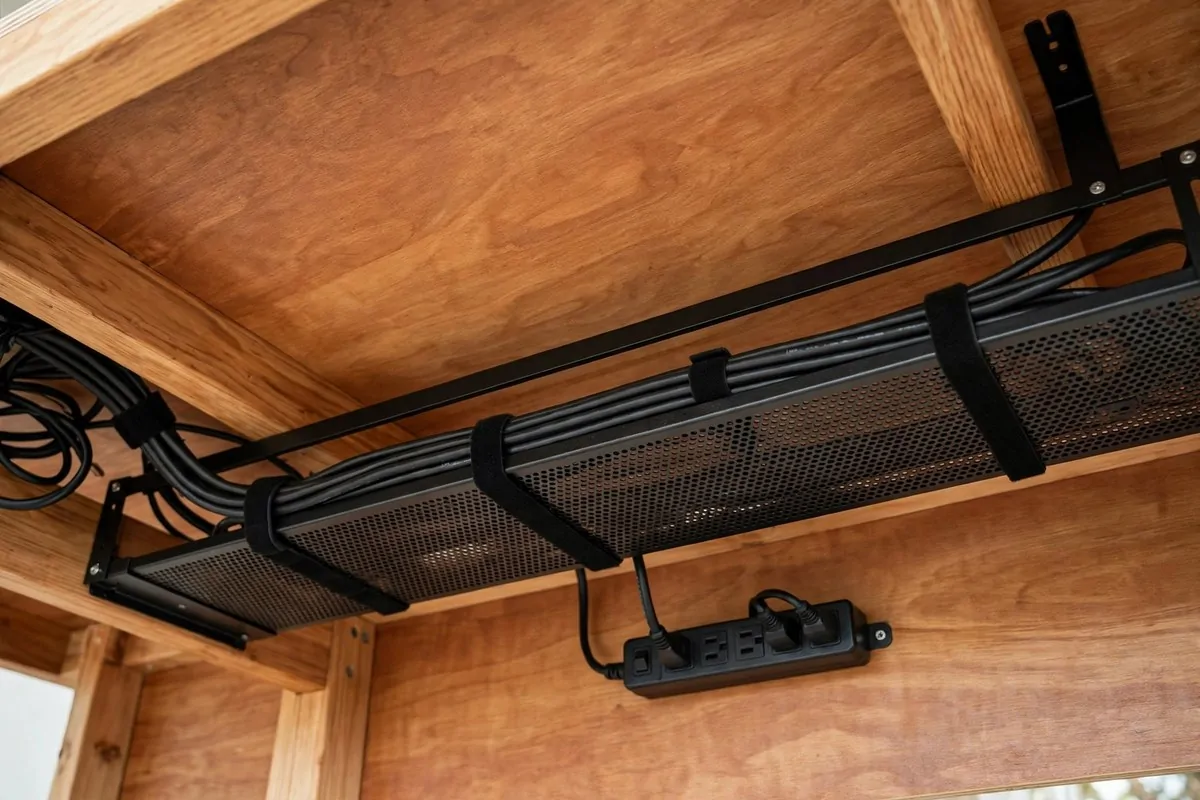
Cables are not just ugly. They are a real problem in a podcast room. Loose cables hum, they buzz, they rub against the desk and that noise travels straight into your mic through the stand.
Bundle them up and get them off the floor. A simple cable tray or a few velcro ties under your desk will change the whole feel of your setup. Tidy cables also make you look like a pro on camera, which never hurts.
Separate your power cables from your audio cables. Power lines can leak a faint hum into mic cables that run right next to them. Keep them a few inches apart and that hum disappears.
Use a power strip mounted under the desk. Everything plugs into one spot, one switch turns it all off, and you stop crawling behind the desk every time something needs resetting. Your future self will thank you every single recording day.
Label both ends of every cable. A little piece of tape with mic, headphones, or camera written on it saves you from the unplugging-the-wrong-thing panic. When something stops working mid-session, labels save the show.
Here is a quick cable plan that works in any podcast corner.
- Run all cables through one tray or channel under the desk.
- Keep power cables and mic cables a few inches apart.
- Mount one power strip under the desk for everything.
- Label both ends of each cable with simple tape flags.
- Leave a little slack so the boom arm can move freely.
Do this once and forget about it. Clean cables mean fewer mystery noises and a setup you actually enjoy sitting down at.
Check your cables once a season. A tie that loosened or a cable that slipped behind the desk can bring back a hum you thought you fixed months ago.
14. Light Your Face if You Film Too
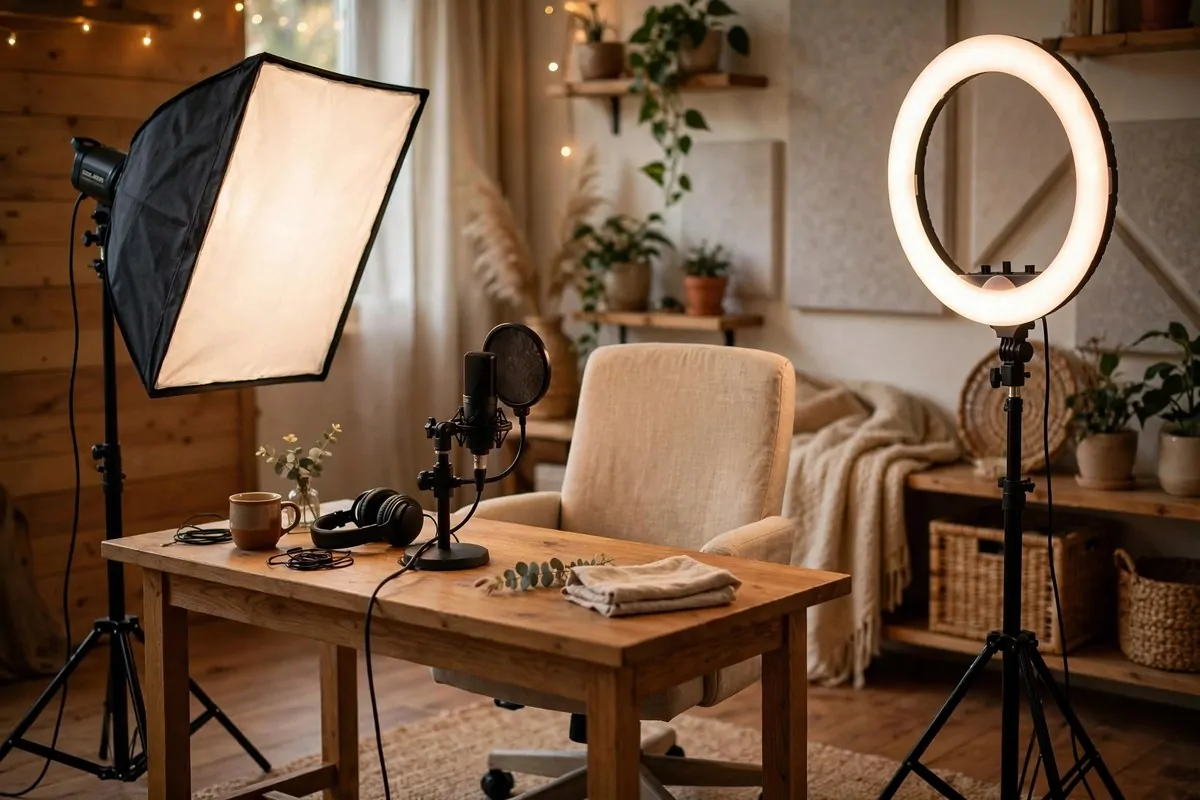
So many podcasts are video podcasts now. If you film your episodes for YouTube or clips, your lighting is part of your podcast room setup, and bad lighting makes even great audio feel cheap.
The classic setup is simple. One soft light in front of you, angled at 45 degrees, a little above eye level. This is called key light, and it shapes your face kindly instead of flattening it or throwing harsh shadows.
A ring light is the easiest option for one person. It sits right in front of you, often around your camera, and gives you even, flattering light with that little circle catchlight in your eyes. Your viewers feel like you are looking right at them.
Softbox lights give a more natural look. The big soft rectangle spreads light gently, like a window. Two softboxes at 45 degree angles on each side give you that smooth studio feel without harsh hot spots.
Avoid the overhead ceiling light as your main source. It throws shadows under your eyes and makes you look tired even when you are not. Turn it off or dim it and let your real lights do the work.
Warm light feels cozier. Cool light feels more professional. Pick one and stick with it so your episodes look consistent. Mixed light temperatures make skin look strange on camera.
Set your lights once and mark the spots with tape on the floor. Every session then looks the same, and you stop fiddling for twenty minutes before each recording. Consistency is what makes a channel look pro.
- One soft key light at 45 degrees is enough to start.
- Ring lights are easiest for solo video podcasters.
- Two softboxes give the smoothest professional look.
- Turn off harsh overhead lights while filming.
Good light keeps viewers watching, and longer watch time is how shows grow. Treat your lighting like part of your sound, because to your audience it is.
15. Set Up a Background That Looks Pro
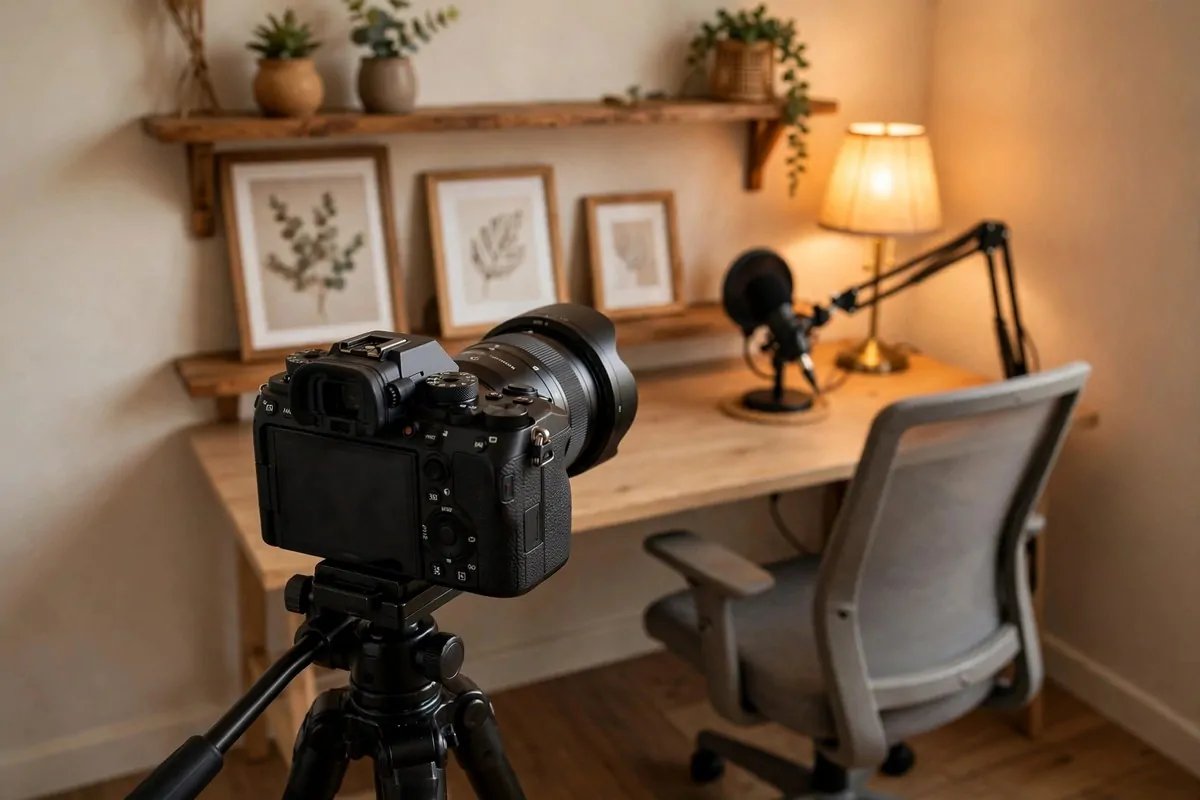
On video, your background is your brand. Viewers decide in seconds whether your show looks trustworthy, and most of that judgment comes from the five feet of wall behind you.
Keep it tidy first. Cables, boxes, laundry, and clutter in the background make a show look careless, no matter how good the audio is. Clear everything that does not belong before you hit record.
Add things that say something about your show. Books, plants, a framed print, a small lamp with warm light. These are the classics because they work. They add depth and personality without pulling attention away from you.
Depth matters on camera. A flat wall right behind your head looks dull. Pull your chair a few feet away from the wall and let the background fall slightly soft. Suddenly the shot has layers, and you look like you are in a real studio.
Brand colors help if you have them. A throw pillow, a piece of art, or an accent wall in your show’s color makes every episode instantly recognizable. Viewers start to feel at home before you even speak.
Avoid busy patterns and bright neon signs right behind your head. They fight with your face for attention and look distracting on small phone screens, where most people will watch.
Check your background on camera, not with your eyes. Sit down, look at the monitor, and study the frame. You will spot things you never noticed standing up, like a crooked frame or a cord hanging down.
Here is a simple background checklist I run before every video episode.
- Remove all clutter and anything that does not belong.
- Add two or three personal items that fit your show.
- Sit a few feet from the wall for depth.
- Include one warm light source for a cozy glow.
- Check the full frame on your monitor before recording.
A good background works silently. Nobody compliments it directly, but everybody trusts a show that looks cared for.
16. Wear Closed-Back Headphones While You Record
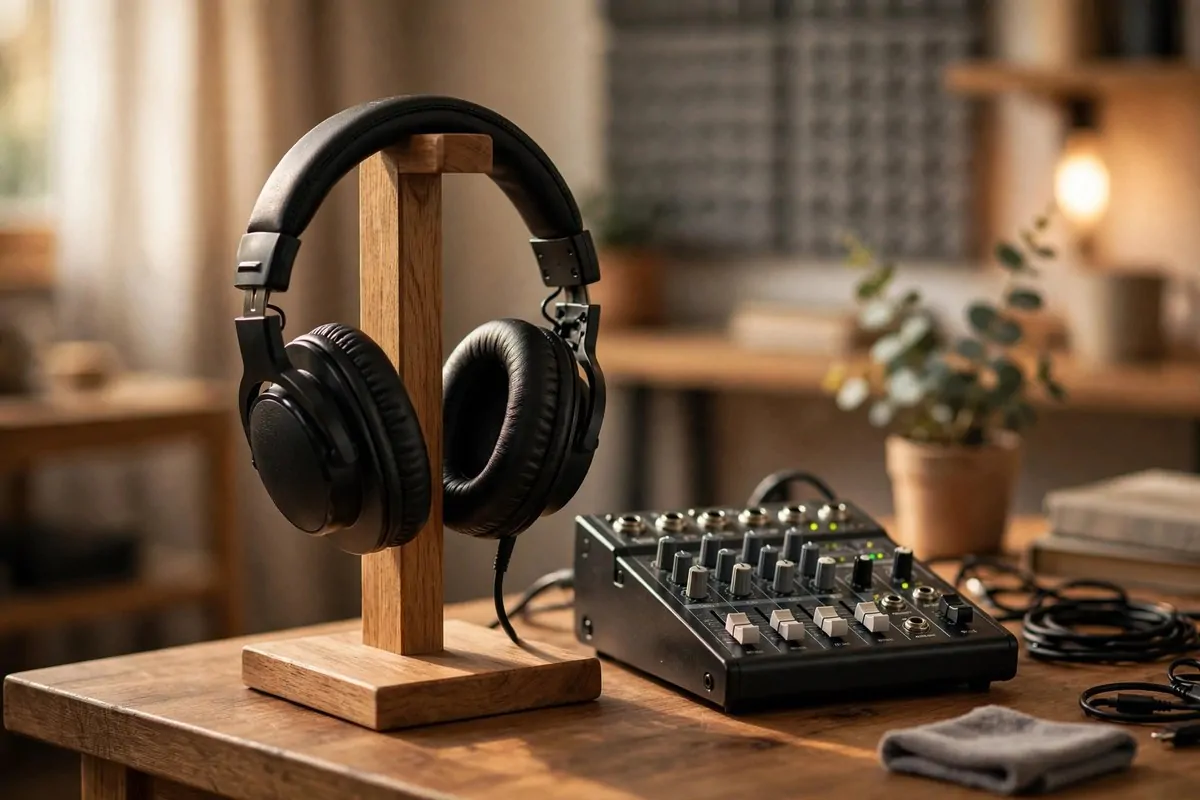
Always wear headphones while you record. Always. This is not optional equipment, it is how you hear problems while you can still fix them.
Headphones let you hear exactly what your mic hears. That faint hum from the fridge? The echo you did not notice? The guest’s mic cutting out? You catch all of it in real time instead of discovering it in editing when it is too late.
Closed-back headphones are the right kind for podcasting. They seal around your ears and keep the sound in. Open-back headphones leak sound out, and that leaked sound sneaks back into your mic and causes a nasty echo on your recording.
Everyone on the show needs their own pair. If you have a guest in the room, they need headphones too. Two voices and one pair of headphones means someone is recording blind, and that is how bad audio happens.
Plug them into your interface or mixer, not into your computer speakers. You want to monitor the actual recorded signal. Set the volume comfortably loud, loud enough to hear detail, not so loud that it bleeds out.
Keep a headphone stand or hook on your desk. Headphones tossed on the desk get stepped on, sat on, and tangled. A stand keeps them safe and makes your setup look intentional and tidy.
Test the seal before a show. Put them on, play some audio, and have someone talk at normal volume next to you. If you can barely hear them, the seal is good and your mic is safe from leaks.
Your headphones are your early warning system. The five seconds it takes to put them on saves hours of editing and sometimes saves the whole episode.
17. Silence the Hum Before You Hit Record
Your room is full of small noises you have learned to ignore. Your mic has not learned to ignore anything. It hears the fridge, the air conditioner, the computer fan, and the traffic outside, all of it, all the time.
Do a noise hunt before every session. Sit in your chair, put your headphones on, and listen to the room tone for one minute. Every hum, buzz, and rattle you hear will be in your episode. Write them down and kill them one by one.
Turn off the air conditioner or heater while you record. They are the loudest things in most homes. Record in bursts if you need to, then turn the air back on between takes. Your comfort matters too, just not during the take.
Unplug or move anything that whirs. External hard drives, old monitors, phone chargers that buzz, all of it adds up. Your computer fan is often the worst offender, so move the tower under the desk or behind a soft barrier.
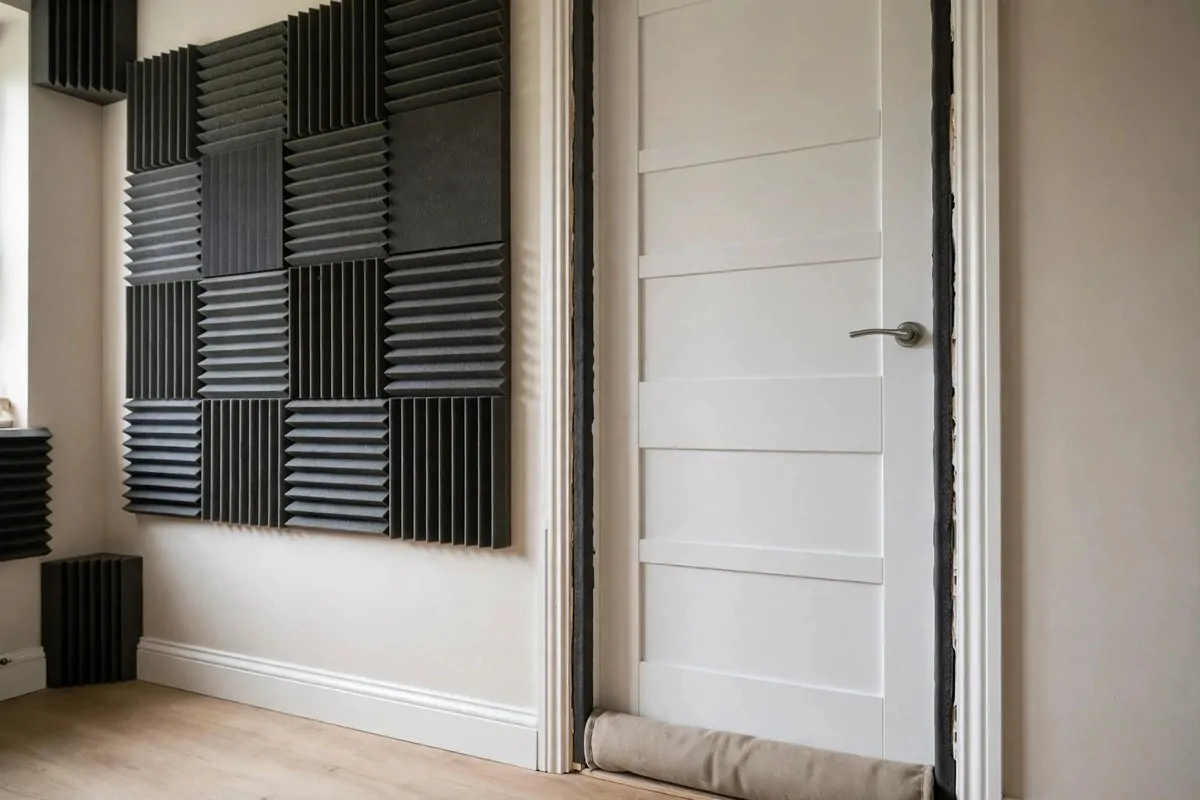
Seal the door. A rolled towel or a fabric draft stopper under the door blocks hallway noise. Weatherstripping around the door frame closes the little gaps where sound sneaks in. These cost almost nothing and help a lot.
Here is my pre-record silence checklist.
| Check | What to do |
|---|
| Air conditioner and heater | Turn off during recording, back on between takes |
| Fans and noisy electronics | Unplug or move them out of the room |
| Computer fan hum | Move the tower away or shield it with soft material |
| Door gaps | Draft stopper under the door, weatherstripping on the frame |
| Windows | Close them and pull the heavy curtains shut |
| Phone notifications | Silent mode, face down, in another room if possible |
Make this checklist a habit and your recordings start clean. Clean recordings need almost no editing, and that alone is worth the two minutes it takes.
Keep a notepad by your desk for mystery noises. When you hear something new in a recording, write down the time and hunt it after the session so it never shows up twice.
18. Test Every Setup With the Hand Clap
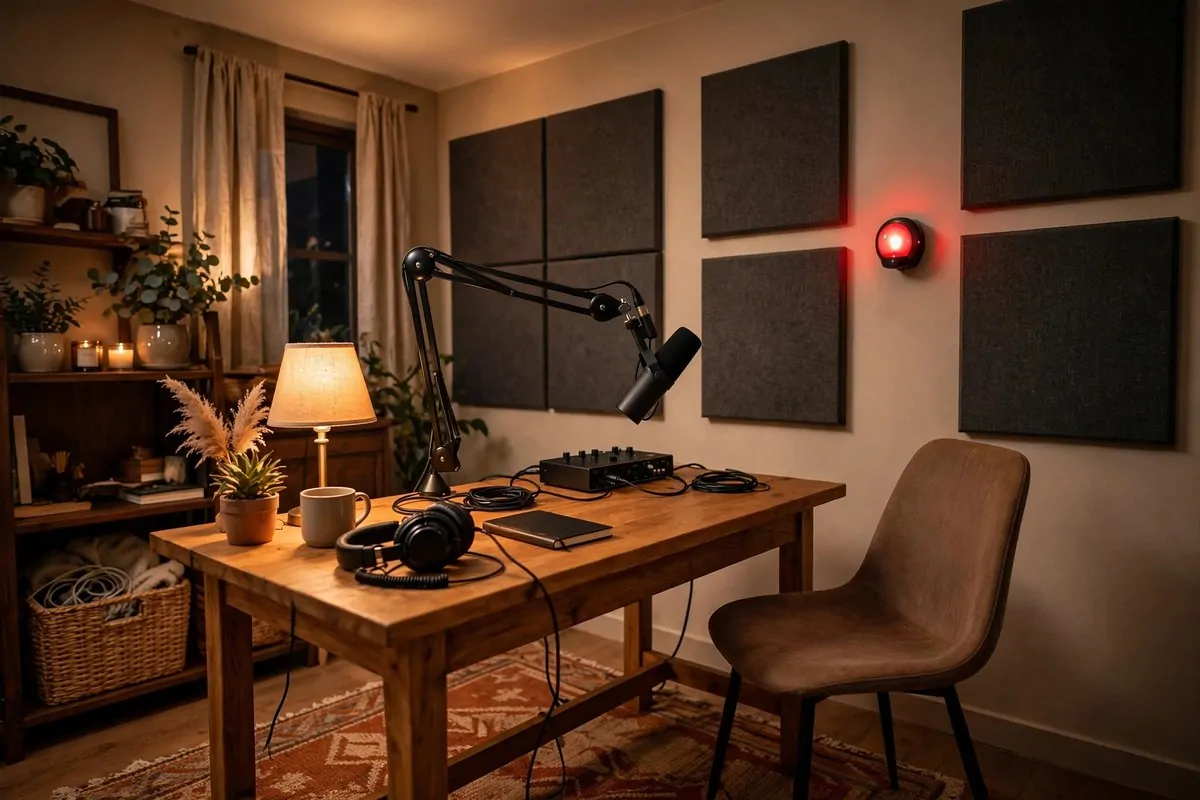
Remember the clap test from the start of this article? It is not just an opener. It is the fastest acoustic test you will ever use, and you should do it every time you change anything in your podcast room setup.
Stand where you sit to record. Clap once, hard. Listen for the tail. In a bad room you hear a fluttery ring that lasts a second or more. In a good room you hear a short, dull thud that dies fast. That difference is your whole sound quality in one clap.
Do the clap walk after every change. Add panels, clap. Move the rug, clap. Close the curtains, clap. Each change should make the clap shorter and duller. If a change does nothing, you know it was not the right spot.
Record a thirty second test too. Read a paragraph of anything, then listen back on headphones. Listen for echo on your S sounds, boom on your low notes, and any background hum. Your ears will tell you what to fix next.
Compare old and new tests side by side. Keep a folder of test recordings from each stage of your setup. Hearing the before and after is the best motivation to keep improving, and it is fun to hear how far you came.
Teach the clap test to your guests. When someone records a remote segment for your show, ask them to clap in their room and tell you what they hear. Then tell them to try the closet. You will save so many bad guest recordings this way.
Make testing a ritual, not a chore. Two minutes of clapping and listening before each session keeps your sound consistent episode after episode. Pros test their rooms constantly. Now you do too.
Here is the quick version you can pin to your wall.
- Clap once hard and listen for the fluttery tail.
- Record thirty seconds and check it on headphones.
- Change one thing at a time, then clap again.
- Keep before and after test recordings to compare.
Your room is now a studio. The clap test proves it, and your listeners will hear it in every single episode.
Keep Reading